All posts by admin

Featured image for When to Use AV Switchers

When To Use AV Switchers

AV switchers are commonly used and essential pieces of AV equipment that allow a multitude of other types of audio-visual equipment to function smoothly and efficiently. Understanding how these switchers work can help you gain a greater understanding of various other types of audio-visual equipment. One aspect of understanding how these pieces work is understanding what situations they should be used in. Specifically, this can help you save time by ensuring you never use the wrong type of equipment.

If you are an audio-visual professional or just an amateur learning the ropes, this guide can help you determine when to use AV switchers.

What are AV Switchers?

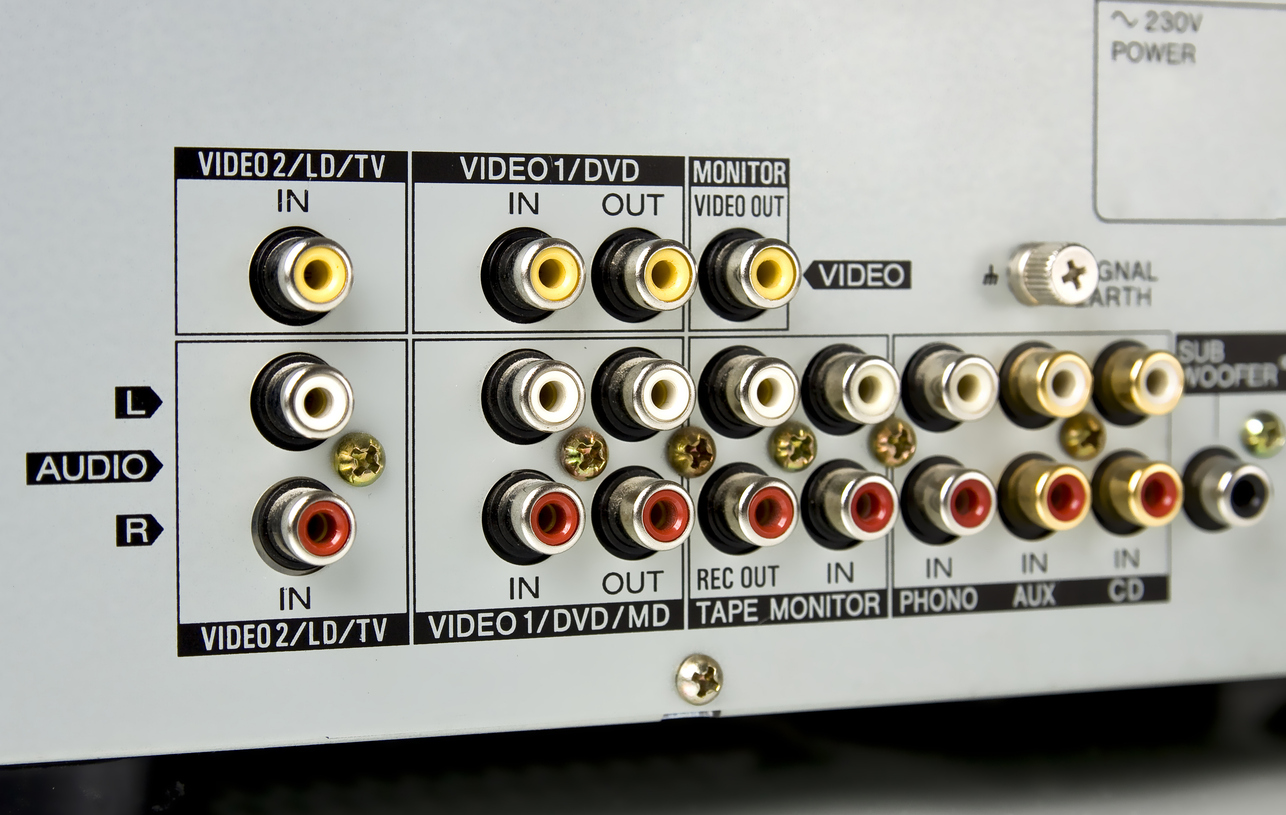
AV switchers are a class of equipment that can come in many different forms. The purpose of an AV switcher is to allow the transfer of audio and video signals from one source to previously incompatible devices. Many different devices can be involved in this process, including:

  • Cameras
  • Laptops
  • Televisions
  • Blu-ray players
  • Displays
  • Projections
  • Sound systems

The purpose of an AV switcher is to allow a user to seamlessly switch between the various sources and destinations of audio and video no matter which scenario they might be used in. Therefore, understanding the various scenarios where these types of devices can arise can help you make informed decisions on how to handle various scenarios.

When to Use AV Switchers

AV switchers are most useful when a project manager is juggling multiple sources and destinations for audio and video signals. Having a switch that can toggle between various signals and their end destinations can allow an entity to manage much more complex projects and situations than it would otherwise be able to handle. Because AV switchers handle multiple inputs and outputs, they are usually medium to large-sized devices with many port options.

There are several different subtypes of AV switchers to choose from. The most commonly encountered are:

  • Standard AV Switchers: These devices enable users to connect multiple AV sources to multiple displays and switch between these input sources conveniently.
  •  AV Matrix Switchers are a more complex type of AV switcher, better for more complex projects. These matrices can allow a user to route multiple sources to multiple displays and are highly customizable.

AV matrix switchers typically route multiple audio or video sources to an equal number of destinations. For example, an AV matrix switcher would allow a user to monitor multiple security cameras in a vast complex.

Setting Up Your AV Switchers

Whether you are using standard AV switchers or a more complex matrix system, you will need to take several steps to correctly install an AV system.

  1. Identify Your Input Sources: Take stock of the input sources that you want to connect to the switchers, such as computers, media players, gaming consoles, and more. Make sure to identify the exact number of input sources you will have.
  2.  Identify Your Output Displays: Perform the same task with the number of output displays that you will have on hand, and ensure that the two numbers will work well together.
  3.  Assess Your Signal Compatibility: Make sure that your AV switcher can support the signal formats of both your input sources and output displays.
  4.  Connect Your Input Sources: Find the appropriate cables to connect each AV source to the input ports of your AV switcher. This will ensure a secure connection for your setup.
  5.  Connect Your Output Displays: Securely connect the output ports with the input ports of your AV switcher using the appropriate cables.
  6.  Power the System: At this point, you can power up your switcher. Assuming you closely observed the previous steps, there should be no issues with your general display or the functionality of the system.
  7.  Test the System: You can double-check the functionality of the system and test it once you have established a general level of functional use for it. Performing tests where you switch between the various input sources of your system and test them on your various displays can help you determine whether every element of your system is working correctly and at optimum efficiency.

Your Top Resource for AV Equipment

KanexPro is one of the best online and in-person resources for any individual who is looking to receive high-quality audio-visual equipment. If you have questions about AV switchers or any other piece of AV equipment, contact our expert team today to discuss your options.

Featured image for What are Active Optical Cables

What Are Active Optical Cables?

In today’s fast-paced, technology-driven world, people’s reliance on computers and telecommunications is unquestionable. To stay connected, people rely on various systems and devices. Whether it is for business communication purposes, playing online games, managing audio-visual equipment, or streaming their favorite shows, efficient data transfer is crucial. One of the most highly effective tools in this area is the active optical cable. If you are unfamiliar with active optical cables and are curious about what they are, read on for a description of the valuable tool.

What Are Active Optical Cables?

Cable Basics

Cables transmit data from one device to another. Copper cables are the most common type, using electrical signals to carry data. HDMI cables, which are made of copper, are found in homes and offices. 

Active Optical Cables

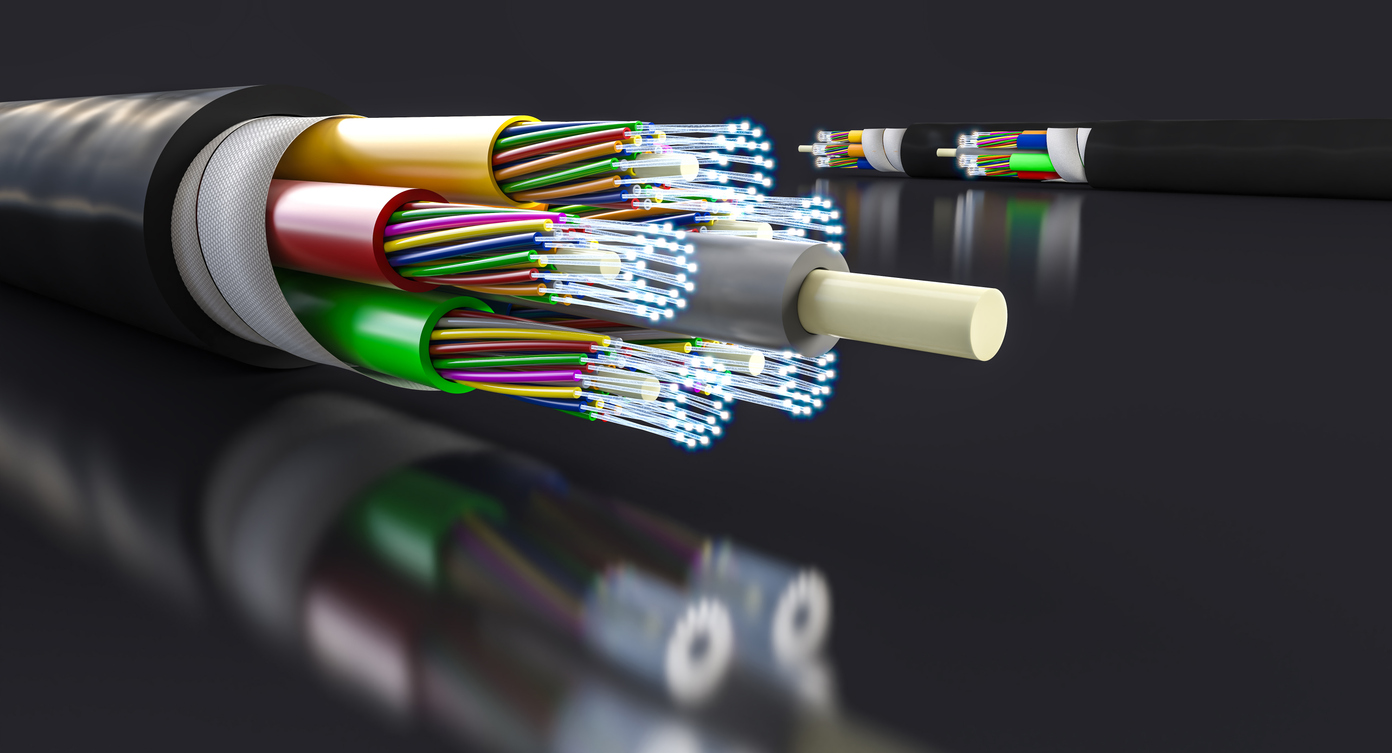
In contrast to copper cables, which use electrical signals, optical cables use light to carry data. They use optical fibers, known as fiber optic cables, between connectors. They send data as light pulses through glass or plastic fibers. Compared with copper cables, optical cables are able to transfer data at faster speeds. Moreover, signal loss over long distances is less likely to occur.

These cables are called “active optical” because they are only in active mode. This means that the cables contain electronics like signal processors and transceivers that enhance their performance and facilitate a smooth and efficient transfer.

How Do Active Optical Cables Work?

1. Signal Conversion

When a device sends a signal, the signal usually starts as an electrical signal. The electronics built in the AOC turn this signal into a light signal.

2. Data Transmission

The light signal carries data through the optical fibers at lightning speed. Because it is light, more data can be carried at faster rates than that of traditional copper cables.

3. Signal Is Converted Back into Electrical Signal

At the end of the cable, the light signal is converted back into an electrical signal because this is the type of signal that the receiving device can understand.

Real-World Applications

Medical Imaging

Active optical cables play a crucial role in medicine, especially in medical imaging, where precise, high-speed data transfer is crucial for accurate diagnosis.

Professional Audio/Video

Since AOCs can transmit high-quality audio and video signals over long distances without the risk of quality loss, they are also excellent in broadcasting and live events.

Home Entertainment

If you love watching movies or playing games at home, using active optical cables can ensure that you get the best possible audio and video quality without interference.

Data Centers

Cloud services and internet-based applications rely on efficient and fast handling of vast amounts of data. Active optical cables make this possible.

Advantages of Active Optical Cable

  • High-speed data transfers
  • no required equipment upgrade
  • lighter than high-speed cables
  • not easily affected by electromagnetic interference
  • low energy consumption
  • high transmission rate
  • signal integrity is maintained even at long distances
  • long-distance transmission

Time to Upgrade Your Connectivity

Active optical cables may not be something that ordinary people may think about on a daily basis, probably even never. Most people are unaware of the essential role that AOCs play in their daily activities. Few people understand that behind their seamless online experience, whether it is streaming movies at home, running a busy data center, or supporting cutting-edge medical technology, it is the AOCs that help make it all possible. 

If you want to enhance your setup and system, whether for leisure or professional purposes, consider switching to AOCs. It is time for you to experience the speed, reliability, and performance that active optical cables offer. Explore our website and make the switch today.

Featured image for 5 Excursions You Should Have a GoPro For

5 Excursions You Should Have a GoPro For

In today’s new age of travel, exploration, and adventure, capturing thrilling moments has become a must. Whether you are a seasoned traveler, an occasional explorer, or an adventure vlogger, a GoPro can be your perfect partner when it comes to documenting each exciting moment. GoPro cameras are made to produce high-quality footage under extreme conditions, so if you want to ensure that you never miss a moment, check out ITSKIN accessories for GoPro protective cases. These cases can protect your camera from accidental drops up to 10 feet high. GoPro cameras are versatile and a must-have for anyone who loves exploring and going on excursions. Here are five excursions you should have a GoPro for.

5 Excursions You Should Have a GoPro For:

1. Mountain Biking Through Rugged Terrain

Speed, skill, and stunning scenery define mountain climbing. Whether you are an experienced mountain biker or just starting, capturing all the action and adventure on camera is the best way to relive the experience. With GoPro, you will never have to worry about ensuring that each video you take is an immersive experience.

Some Tips for Best Footage:

  • Totally immerse your audience in your adventure with a chest mount. This will capture your arms and handlebars, ensuring that your viewers get a sense of your control and movements.
  • Record in 4K for the highest quality. This will produce a video that shows crisp details of the trail’s texture and the distant mountains.
  • Add context to your video. A ride is more fun and thrilling if you have a community or group to ride with. Include other riders in your footage. Make sure that your video reflects the communal aspect of the ride.

2. Scuba Diving in Coral Reefs

The world under the sea is not just a different world worth exploring; it has also captured the imagination of millions and is a favorite among photography and video enthusiasts. To enhance the clarity and color of your underwater footage, you can equip your GoPro waterproof cameras with special filters.

Some Tips for Best Footage:

  • Correct color distortion with a red filter. When underwater scenes appear heavily tinted in blue and green, a red filter can restore more natural-looking hues.
  • Get close to your subjects to reduce the amount of water between the lens and the object. Proximity to the object reduces blurriness, helping you capture sharper and more detailed images.
  • Shoot in short bursts to conserve battery life. Short, focused clips capture the action under the sea while saving battery life.

3. SkyDiving

Few activities can give you a greater adrenaline rush than skydiving. A documented freefall filmed with your GoPro will allow you to relive this exhilarating experience.

Some Tips for Best Footage:

  • Securely fasten your camera.
  • Capture the vast sky with a wide-angle setting. This setting will allow you to get a view of the horizon and the landscape below.
  • Catalog the full story of your jump by keeping your camera rolling from the plane ride up to your landing. This record will allow you to document the whole experience, including pre-jump jitters and your post-landing reaction.

4. White Water Rafting

With a GoPro camera, you can capture the intensity of the water, your paddling skill, and the teamwork among your crew. Water splashes or even full submersion are nothing to worry about when you have a waterproof camera that can capture all your exciting moments.

Some Tips for Best Footage:

  • Mount your GoPro on the front or back of the raft for dynamic shots. This will give the camera a complete view of your crew and allow you to capture the action head-on.
  • Use a chest mount to capture your perspective. This will permit the audience to experience the thrill and challenge of navigating the rapids.
  • Record at high frame rates. A higher frame rate will allow smooth slow-motion playback, making the splashes and rapid movements more dramatic.

5. Hiking Through Scenic Trails

Immerse yourself in nature. Capture the changing landscapes, the colorful flora and fauna, and the fulfilling views when you reach the summit with your GoPro. It is durable and compact, making it perfect for carrying on long treks.

Some Tips for Best Footage:

  • Use a stabilizer to achieve steady footage even when walking.
  • Condense hours into captivating minutes. Time lapses highlight the progression of your hike and the ever-changing, colorful scenery.
  • Film in 4K. High-resolution footage will help you capture every detail of the beautiful landscapes.
  • Go for a wide-angle lens. Want a panoramic feel? Wide-angle lenses ranging from 10mm to 42mm will be perfect for capturing vast landscapes.

Relive Your Exciting Moments

Everyone wants to reexperience the fun and the exhilarating moments of past excursions. There is no better way to do it than by shooting these unforgettable moments with your GoPro. Your GoPro camera enables you to relive these moments again and again and allows your family and friends to feel everything you have felt during your adventure. Make sure that your GoPro is always in good condition. To ensure that your GoPro camera never lets you down, keep it protected from bumps, scratches, and accidental drops on all your excursions. GoPro protective cases are made with sustainably produced 100% recyclable materials that will not only protect your GoPro camera but also help protect the environment that you love. Shop for a protective GoPro case today.

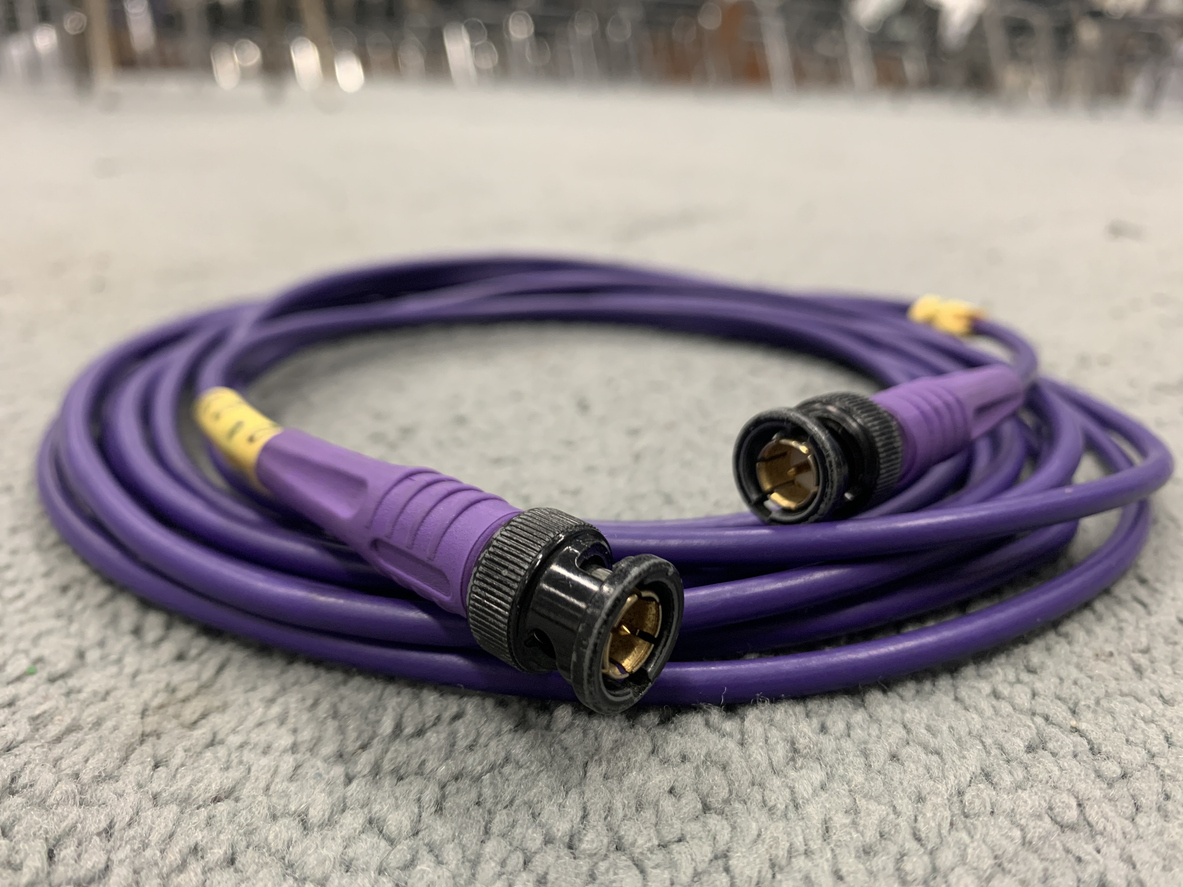
Featured image for what are SDI cables and when should you use them

What Are SDI Cables, and When Should You Use Them?

If you have used any modern AV device over the last decade or two, then you have likely seen an SDI cable. The oldest versions of this handy audio-visual connector date back to the late 1980s, and they remain a staple today. But for anyone unsure what SDI cables are and when to use them, the article below will provide answers. Keep reading to learn about the different types and uses of serial digital interface cables. 

Kanex Pro is the premier online resource for adapters, A/V converters, and other visual accessories. 

About SDI Cables

These dynamic cables are flexible adapters that can work to convert both audio and video. Most SDI types can send and receive audio/visual signals. Of course, various types serve more specific needs depending on what you are doing with your setup. SDI types include: 

Standard Definition

The original SDI cable is used to send and receive audio and video in compressed form. It used to be the go-to cable for devices with a standard video resolution of 480i to 576i. If you need something that will convert higher audio and visual qualities, then you may need a more updated SDI option.

High Definition

Developed for higher resolutions in the modern age, HD cables are for just about anything made in the last decade. These powerful cables are suitable for anyone looking to process video resolutions between 720p and 1080i.

12 Gbps SDI

This is one of the most advanced types of SDI cables on the market today. It provides optimal speeds for both audio and video transmission. This cable typically processes up to 2160p video and has a smooth 60 FPS framerate that stays consistent the whole time. 

How SDI Cables Work

These cables were originally designed as a protocol technology. This protocol acts as a communicator between two devices looking to transmit or receive compressed A/V files. Using coaxial connections, they bring the devices together and offer instant transmittal. Many video devices, such as gaming computers, theater screens, and projectors, can be seen with SDI cables because they are a reliable connection source. 

SDI Vs. HDMI

You may think that the way SDI cables work sounds a lot like the HDMI cable. And you would be correct! They are very similar. So why would someone choose an SDI cable over one of the many HDMI cable options? 

HDMI Cables

Though SDI is popular, HDMI cables are almost more widespread. This means that you will likely find HDMI cables and ports already included with or attached to your commercial items. The average consumer uses HDMI cables on a daily basis to connect TV screens to smart TV boxes, computers to monitors, and even laptops to phones. When it comes to speed and transmission rate, HDMI is typically just as reliable as any SDI option. 

SDI Cables

SDI cables are usually the cord of choice for professionals who need the absolute best for their video devices. Filmmakers or large businesses with video equipment may be more likely to use SDI cables as the most trustworthy type of connection. SDI cables may also be preferred because of their distinct locking mechanism. The coaxial cables can lock into place, making it very difficult for the connectors to become loose.

Professional SDI Cables Available at Kanex Pro

At Kanex Pro, you can find high-grade SDI cables, coaxial cables, HDMI cords, and other reliable connectors. Our online store provides a huge inventory of audio-visual equipment to suit your tech needs. Contact us today so we can help you find the best cable for your setup. 

Featured image for IS Custom Wire Better Than Standard

Is Custom Wire Better Than Standard?

Choosing the right cable for your technology is necessary to ensure optimal performance and reliability. There are several applications for the technology that is created, and each relies on top-tier wires. People use a variety of standard cables on the market as well as custom cables and wiring because custom wire can cater to their unique mechanical needs. This has led to some debate about whether custom wire is better than standard. Below, you will find helpful information to guide you through choosing the right cable.

Is Custom Wire Better Than Standard?

Standard and custom cables are both helpful in many situations. However, only custom cables are catered to your unique needs. Standard cables are pre-manufactured, which means that they are designed to meet common and widely used specifications. They are available in several different types and sizes that are commonly needed for a wide swath of applications. These are often general cables, including ethernet, HDMI, and power cables. The benefit of standard cables is that they are highly compatible and reliable. However, they may not be specific to your needs if you have a unique purpose for the application. 

Custom cables are specifically designed and manufactured to your needs. In fact, several factors of the cable can be customized to your specifications. For example, the length can be customized so your cable will fit perfectly within your setup. Additionally, the shielding of the wire can be customized, including protection from electromagnetic interference or radio frequency interference. Lastly, the connectors can be customized to your specific equipment. These customizable qualities are especially beneficial to high-end sound systems and industrial cables in harsh environments. 

Benefits of Custom Cables

Custom cables offer several benefits. While standard cables can meet a wide variety of needs, custom cables offer individualized benefits. 

Unique Specifications

Custom cables are created based on your unique application’s needs, including the length, shielding, and connectors. This ensures optimal compatibility and reliability.

Durability

Many cables are employed outdoors for concerts and sports broadcasting. If these events take place under harsh conditions, such as weather or extreme temperatures, weak cords will not function. Custom wires and cables can be designed to withstand difficult weather conditions that commonly arise.

Optimized Performance

Custom cables from a top wire and cable company can ensure optimal performance. Various factors, including signal integrity and resistance to interference, can be integrated into your custom cable. These optimizations are highly beneficial if reliable performance is necessary for your tech.

Flexible and Adaptable

Custom cables offer great flexibility in meeting your cable needs. The specifications can be adapted to ensure the very best performance. From the length and shielding to various protective factors, custom cables offer so much more than standard cables.

Considerations When Choosing Cables

Each application is different, and it is important to assess your specific needs, including the project requirements. Consider the length needed and the performance specifications. In addition, consider the environment in which the cable is located. Consider the temperature, potential for moisture, and any other environmental factors. Each of these could dramatically affect the overall performance of the cable. Lastly, consider the need for future-proofing. Long-term compatibility is key. Because of this, be sure to think about any changes that may occur if you update the surrounding equipment. 

Wire and Cable Company

Choosing the best cable can be overwhelming, but the team at Calmont Wire and Cable is skilled in creating custom cables and providing excellent materials. No matter what industry you are in, they can work with you on your project needs. They have successfully worked with clients in the medical, aerospace, military, communications, and robotics industries. Contact their team today for more information!

Cute little girl in retro roller skates as featured image for How Old Do You Need To Be To Roller Skate

How Old Do You Need To Be to Roller Skate?

Instilling healthy habits in children when they are young is key to their long-term health. For this reason, physical activities that provide social, emotional, and physical benefits are great for children. Roller skating is a great activity to introduce to your child. It is excellent for building balance, coordination, and social skills. Many parents ask, how old do you need to be to roller skate? Below, you will find helpful information on when you should introduce roller skating to your child.

How Old Do You Need To Be to Roller Skate?

The best age to introduce roller skating to your child varies from child to child. However, many parents introduce their children to the activity as early as three years old. Several factors determine when a child can begin skating, including the child’s motor development and their desire to skate. Children ages 3 to 5 can benefit from toddler roller skates as they can improve their balance and coordination. Slightly older children can begin lessons or work on their skating technique. Lessons are great for children ages 6 to 8. Introducing skating to your children is a personal decision, so there is no right or wrong answer. 

How to Introduce Skating to Your Child

Several helpful tips can make introducing roller skates to your child a stress-free experience for you both. Consider the following tips to ensure your child is prepared and enjoys their time roller skating.

Purchase Skates and Gear

Crazy Skates is a roller skate shop with a wide selection of toddler skates. They also have safety gear to protect your child. When they first start out, it is important to wear safety gear, including a helmet, knee pads, elbow pads, wrist guard, and protective clothing. Falling in the beginning is inevitable. Having the right safety gear is necessary to protect your child during these falls and ensure they have a good time.

Choose the Right Location

The location where you introduce skating to your child matters. Find an open area that is relatively quiet. Avoid areas heavily trafficked by cars to keep your child safe and reduce the risk of injury. Even before taking them to a roller rink or park, have them try on their skates at home. Moving around with their skates on the carpet can help get them acclimated to the feeling of skates on their feet.

Begin With Basics

Starting small is critical when introducing skating to your child. The basics are necessary to ensure their safety while roller skating. This includes practicing falling in a way that will minimize injuries. They can fall to the side with their safety gear on to get a feel for how to reduce the impact in the event of a spill. It is also helpful to teach them how to get back up. To stand from the ground in skates, your child should roll onto their knees and push up using their hands.

Stay Positive

Encouraging your child to learn a new activity comes with several benefits. It can benefit their physical health, improving both balance and coordination. However, learning a new skill also boosts their confidence. Staying positive and encouraging your child as they navigate the process is key. Be sure to let them know that they should keep up the good work, as practicing is the key to success. It is also helpful to let them have patience with themselves as they learn how to skate. 

Online Skate Shop

If you want to introduce roller skating to your child, check out Crazy Skates’ selection of toddler skates online. They offer a wide variety of skates and safety gear to help your child get started!

Featured image for How Do Thunderbolt and USB-C Differ

How Do Thunderbolt and USB-C Differ?

Staying updated in a rapidly changing world of technological advancements can be both overwhelming and challenging. When it comes to connections and cables, it is easy to be confused, especially for those who are not really interested in all the intricacies of technology. Among the plethora of connections and cables available today, the most prominent and often confused are the Thunderbolt and USB-C. To make the confusion worse, USB-C and Thunderbolt 3 and 4 have connectors and cables of the same shape. And although both are powerful and versatile, they are not identical.

Understanding the difference between the two is crucial for making informed purchase decisions and maximizing the efficiency and potential of your devices. Whether you are a tech enthusiast, an everyday user, or a phone accessories retailer, this knowledge is crucial. So, how do Thunderbolt and USB-C differ? It is time to find out.

How Do Thunderbolt and USB-C Differ?

USB-C: The Everyday Connector

Used in many devices today, the Universal Serial Bus Type-C is a popular connector that can be plugged in either way without having to worry about it being upside down. It is designed to replace older types of USB connectors. Reversible and flexible, it can handle different types of data and signals, making it the ideal all-in-one connector for laptops, tablets, smartphones, and other accessories.

Thunderbolt: The High-Performance Connector

Thunderbolt is a supercharged type of connector created by Intel and Apple. It can handle data, video, audio, and power all in one. The latest Thunderbolt 4 is much more powerful, as it can transfer data much faster, connect multiple devices all at once, and deliver high-quality video output every time.

Key Differences Between Thunderbolt and USB-C

Speed

The transfer data speed for USB-C is up to 10 Gbps, with the newer version going up to 20 Gbps and the latest version going up to 40 Gbps, matching that of Thunderbolt. Meanwhile, Thunderbolt 3 and 4 can transfer data at 40 Gbps and are much faster than the older USB-C, making them ideal for video editing and transfer of large files.

Video Output

USB-C can handle video output like Displayport, but the device and cable will significantly impact the quality. On the other hand, Thunderbolt can support 4K displays at 60 Hz or a single 8K display. It is ideal for professional use with high-resolution monitors.

Power

When it comes to power, USB-C has enough to charge laptops, phones, and other commononly-used gadgets. While the Thunderbolt provides up to 100W, just like USB-C, it has the added benefit of high-speed data and video transfer. Compared to USB-C, Thunderbolt is the perfect choice for docking stations and complex setups.

Connecting Multiple Devices

USB-C generally does not allow users to connect multiple devices in a chain. Meanwhile, professional setups can benefit largely from Thunderbolt, which allows multiple devices in a chain with multiple monitors and other peripherals.

Choose the Right Connection

If you need to decide between USB-C and Thunderbolt, think about what functions you need. If it is just for everyday use, a USB-C is good enough. It is versatile, widely compatible, and has no problem performing most tasks well. Plus, with USB-C charging cables being so common, ensuring your devices are all powered up and ready to go is so easy. However, if you have high-performance needs, like faster data transfers, better video output, and the ability to connect multiple devices, Thunderbolt is the perfect choice. Use your newfound knowledge to purchase the proper connection now. Check out our shop today.

concept of text message drip campaigns

How to Maximize Text Message Drip Campaigns

Text message marketing is at the forefront of so many businesses’ marketing plans. The benefits make it a tough competitor as compared to alternative marketing methods. It is a cost-effective way to save valuable business resources. One of the best ways to improve customer engagement is to use text drip campaigns. Below you will find how to maximize text message drip campaigns.

How to Maximize Text Message Drip Campaigns

Text message drip campaigns are unique as compared to regular text message campaigns. They are characterized by a series of pre-written messages that are sent to customers over a period of time. They are highly effective and have been proven to offer several benefits to businesses. Consider the following benefits associated with text message drip campaigns.

Effectively Nurtures Leads

Text message drip campaigns improve lead nurturing over time. The nature of the campaign involves a series of pre-written messages sent over a period of time. Sending the series of messages helps move consumers through the sales funnel. This is because the messages provide valuable information and encourage action. This method results in 50% more sales than alternative methods. The approach is highly beneficial as it drives sales which ultimately improves your business’s bottom line.

Cost-Effective Solution

Saving vital business resources is the key to business success. This includes both time and money. Text message drip campaigns are more cost-effective than any other marketing method. This is true for businesses large and small. In fact, small businesses can benefit just as much as large businesses from automated texting software. The cost saved is compounded by how effective text message marketing is. As compared to alternative strategies, text message marketing statistically crushes them.

High Customer Engagement Rates

Text message drip campaigns are highly effective when it comes to customer engagement. Text messages are opened at much higher rates than email. In fact, open rates can reach 98%. This is vastly different as compared to email open rates. The average open rate for marketing emails is around 20%. Open rates are critical for businesses as it increases the likelihood that customers will click through. The call to action is often in the form of a link. When recipients click through, it increases the likelihood that they will purchase something from the business. High open rates have a positive domino effect on business sales. 

Customization

Personalized text messages are a necessity in any marketing campaign. The key to running a successful text message drip campaign is providing consumers with what they need at the right time. To achieve this, it’s necessary to use customer data to curate your messages. Providing recipients with information that adds value to them is critical. Research shows that personalization improves customer engagement rates. It can also boost customer loyalty and brand credibility. By customizing the recipient’s experience you can easily curate the message to their unique wants and needs.

Fast and Effective Engagement

Text messages are a fast and effective way to communicate with customers. Curating your message is key. Keep it simple, short, and straight to the point. The call to action should be clear right away. If your recipient has to search to understand the message, they can easily get distracted. Capturing their attention offers fast and real-time information that is critical to businesses. The information is valuable in the moment and in the future. In fact, it can effectively inform future business marketing campaigns.

Automated Texting Software

Creating your marketing plan can be overwhelming. However, with automated texting software, you can easily save time and money. Contact the team at Trumpia for support with your next text message drip campaign! 

The image shows a hand using a controller panel as the featured image for "When To Use a Programmable Control Panel"

When To Use a Programmable Control Panel

Programmable control panels are helpful computers used to control other machines and processes. They are the central point of automated systems. Programmable control panels monitor inputs, make decisions, and control outputs. Much of this is done through pre-programmed instructions. The technology is highly beneficial in various applications. Below, you will find helpful information on when to use programmable control panel technology.

When To Use a Programmable Control Panel

Programmable control panels are used in a wide variety of applications. The nature of the technology automates various commands, from inputs and outputs to decision-making based on pre-programmed instructions. This functionality means that programmable control panels offer flexibility and efficiency. They are useful when you need reliable automation for an application. The following are common applications that use the technology.

Manufacturing

Programmable control panels are commonly used in manufacturing, such as assembly lines, robotic arms, and other machinery. They can also be used in industries ranging from the textile and goods industries to automotive parts.

Food Industry

The food and beverage industry often uses programmable control panels, which are effective in processing and packaging food and drinks. It ensures uniformity and makes quality control much easier. The industry utilizes programmable control panels because they make the process accurate and faster.

Automotive

The automotive industry commonly uses programmable control panels. This technology is used for parts as well as for building and assembling automobiles. It is helpful because it ensures safety and uniformity.

AV Technology

AV technology applications often utilize programmable control panels. These panels are effective in lighting control, audio control, video control, and special effects. They can also be combined with other systems to allow for seamless setup. This flexibility is excellent for large concerts or conferences that use high-tech audio-visual equipment.

Benefits of Using Programmable Control Panels

It is clear that programmable control panels are a vital piece of technology due to how many industries use them. Note the following if you are considering top-tier automation for your application.

Efficiency

A programmable control panel dramatically increases efficiency. In fact, it is faster and more effective than manually operated applications. This is highly beneficial in manufacturing, which is why it is often used in that field.

Reliability

Programmable control panels are highly reliable. They are designed to work in various environments and applications. In most scenarios, they are efficient all of the time and can operate around the clock.

Adaptability

Programmable control panels are flexible and adaptable, which is why they are used in so many applications. They can be programmed to perform a vast number of processes. They are also easily updated without changing the hardware, making them a seamless choice for automation in many industries.

Safety Features

Each industry has unique safety features to ensure everyone’s health and safety. However, programmable control panels can add a layer of safety and security. They can be easily programmed to shut down if danger is detected. This function is highly beneficial for the safety of employees and the surrounding machinery. 

Ease of Use

Programmable control panels are easy to use and integrate into your current system. This makes them a top choice in so many industries. In just a few steps, you can deploy the program. Start by creating the program using the programming language, which will depend on the exact panel. From there, you can easily load and test the program before using it in the application.

AV Technology

Kanex Pro offers everything you need for your professional audio-visual needs. Their products are high-quality, reliable, and affordable. Contact their team today for support with any of your professional audio-visual needs!

Illustration pattern of skates in different colors as the featured image for How Tight Should Your Roller Skates Fit

How Tight Should Your Roller Skates Fit?

Time and again, roller skating has proven to be a fun activity both kids and adults can enjoy. It may be a casual way for your family to spend free days, or you may be a more serious skater and participate in competitions. No matter your investment in the sport, well-fitted skates are important for optimal enjoyment, comfort, and safety. Unfortunately, it is not immediately obvious how tight your roller skates should fit. Luckily, Crazy Skates is here to explain all you need to know and help you find the perfect fit.

How Tight Should Your Roller Skates Fit?

Why Fit Matters

Whether you are shopping for quad skates, inline skates, jam skates, or any other type, the size will always matter. Proper fit is important for different reasons:

  • Control and Performance: Well-fitting skates allow the skater to have better control in executing turns, jumps, and stops effectively.
  • Comfort: Well-fitting skates are comfortable skates and can enhance the skater’s experience. In contrast, ill-fitting skates can cause blisters, calluses, and general discomfort, which can detract from the skating experience.
  • Safety: Loose skates can cause instability, increasing the risk of injury. Meanwhile, skates that are too tight can lead to pain, discomfort, and problems in circulation.

Finding the Right Fit

Although they should feel snugger than regular shoes, your roller skates should not be painfully tight. When testing the fit of your skates, ensure they have the following qualities.

  • The toes should lightly touch the end of the boot without being cramped. They should still be able to wiggle up and down.
  • The skater’s heel should be secure. It should not slip or lift.
  • The boot should be wrapped around the widest part of the foot comfortably. Slight pressure on the sides of the foot is okay. Remember that the material of the boot will take some time to stretch and mold itself to the shape of the foot. Remember that your boots will need to be broken in. 

How to Find the Right Size

  1. Get a sheet of paper, a pen, a tape measure, and a ruler. 
  2. Tell your child to wear the socks they usually wear when skating. Have them put their foot on the sheet of paper. Press the foot completely flat, making sure that the heel is pressed.
  3. Trace the foot outline. Since the other foot may differ in size, do the same thing.
  4. Using the measuring tape or ruler, measure the length from the tip of the big toe to the back of the heel. Write down the measurement.
  5. Now, it is time to check the skate manufacturer’s sizing chart.

Breaking In Your Skates

Even with the right fit, skates require a break-in period. They should be worn for short periods and gradually lengthened to at least an hour or so. This will allow the boot material to mold to your child’s feet and help avoid blisters and discomfort. Some materials take a longer time to stretch than others. Leather, for example, takes longer to stretch and costs more, but it is a good investment due to its durability.

Regular Checks

Foot size changes with time, especially in growing children and sometimes even in adults. This means you have to regularly check the fit of the skates, especially if you notice some discomfort or changes in your performance. Adjust lace, straps, or liners as needed. If the discomfort persists, you should measure your child’s feet again and check if there is a change in size.

Find the Right Fit Today

Remember that skates should fit snugly but not too tightly. There should be no feeling of discomfort or pain. The right fit provides comfort, allows the skater to perform better, and keeps them safe. So, take time to find the right pair. Now that you know how tight your roller skates should fit, check out Crazy Skates‘ shop today for skates with adjustable sizes and continue your skating journey.