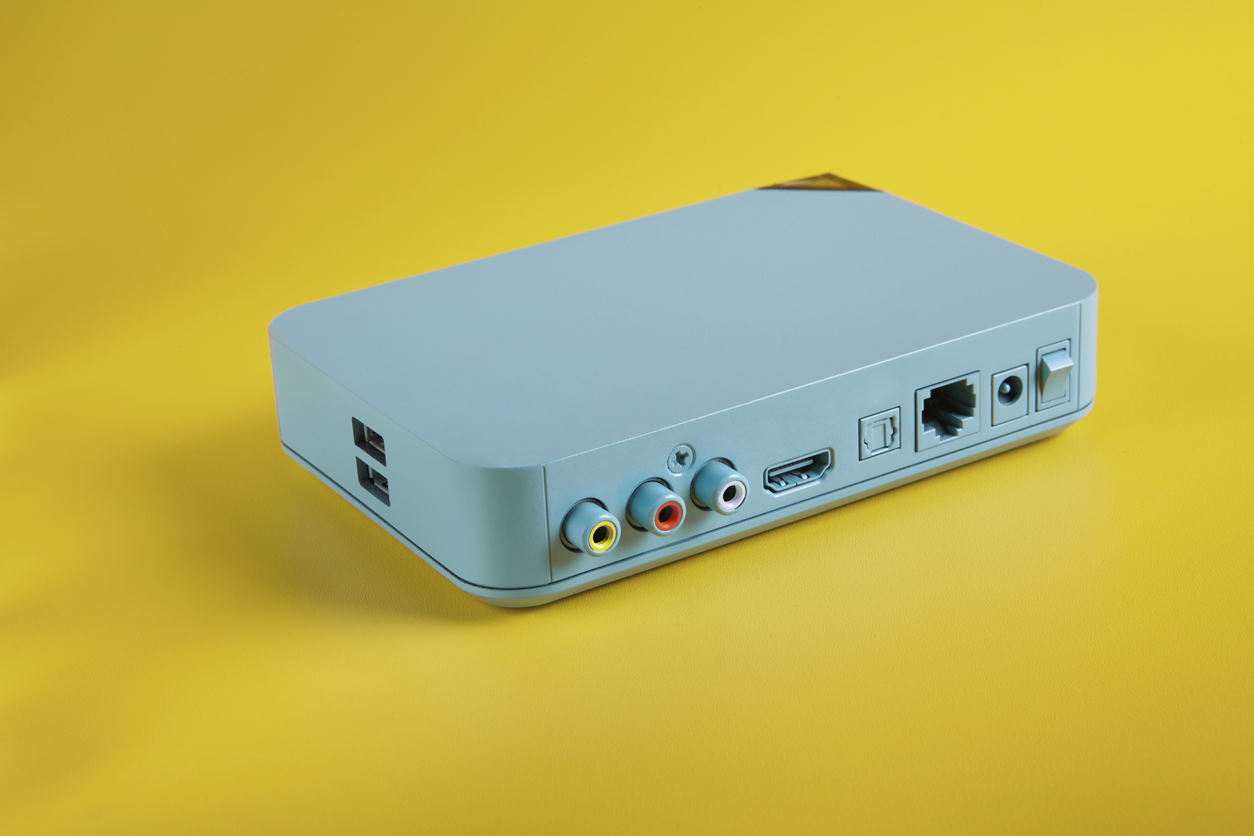
The image shows an older model TV box that converts from analog to digital and represents the benefits of owning a matrix switcher.

Benefits of Owning a Matrix Switcher

Matrix switchers are helpful tech devices. They can be used at home or work. They allow you to manage several audio and video sources. These can be used for several displays and speakers. From home theaters to large corporate environments, matrix switchers can level up your audio-visual tech.  Investing in a matrix switcher is a great choice as it offers several benefits. Below, you will find the main benefits of owning a matrix switcher.

Benefits of Owning a Matrix Switcher

No matter if you are considering a matrix switcher for work or home, they offer tremendous benefits.

Organization

Home theater setups can get unorganized and bulky. The same is true for many professional environments as well. A matrix switcher is highly beneficial as it simplifies your entire tech setup. Managing several audio-visual sources can get messy and confusing. With a matrix switcher, you can easily control all of your audio-visual in one simple place. This means that you do not have to switch any cables or use countless remotes. A matrix switch can make using your tech setup seamless. It can also save you time and money in professional environments.

Versatile Technology

With so many people improving their home theater setups, a matrix switcher is a must-have product. It is highly versatile as it supports several different types of signals. From HDMI to audio, you can connect a wide range of devices. This is highly beneficial if you have a home entertainment system you use for several purposes. A matrix switcher is helpful for those who watch movies and shows, play video games, and even stream at home. It is also highly beneficial in the workplace as it can connect older and newer tech with ease.

Improved Signals

Audio-visual technology is nothing without a good signal. Top-tier audio-visual technology can ensure the integrity of signals. A matrix switcher provides the best audio and visual quality without signal loss. This is highly beneficial in both home and work environments. You won’t have to deal with degradation while you watch a movie or during a work presentation. Having clear visuals with quality sound is vital in any tech setup. 

Enhanced User Control

Matrix switchers provide you with improved user controls. This flexibility is great for home and work setups. You can easily set up several input signals for various output devices, which allows you to set up several sources with ease. Things like computers and gaming consoles can be easily connected. This allows you to simplify complex setups no matter where your tech setup is. Streamline your home or work setup with ease by using a matrix switcher. 

Scalable Tech Device

One of the significant benefits of matrix switchers is their scalability. Matrix switchers can connect a wide range of devices. When you start, you may have a few devices. Getting a smaller matrix can meet your needs. However, as your tech setup grows, you can scale up easily. Many tech products become obsolete within a short time. However, matrix switchers are a long-lasting investment in your home or office.

Cost-Effective Solution

Tech products can be expensive. This can make upgrades an investment. In fact, many people plan for tech upgrades due to the cost. However, matrix switchers are a cost-effective long-term solution. The product simplifies your entire setup and reduces future costs. This includes cable, installation, and maintenance costs. Avoid spending thousands of dollars on optimizing your tech setup by purchasing a matrix switcher.

Top-Tier Audio-Visual Technology

The team at Kanex Pro offers helpful solutions for all of your audio-visual needs. Contact them today for support with your home or office tech setup! 

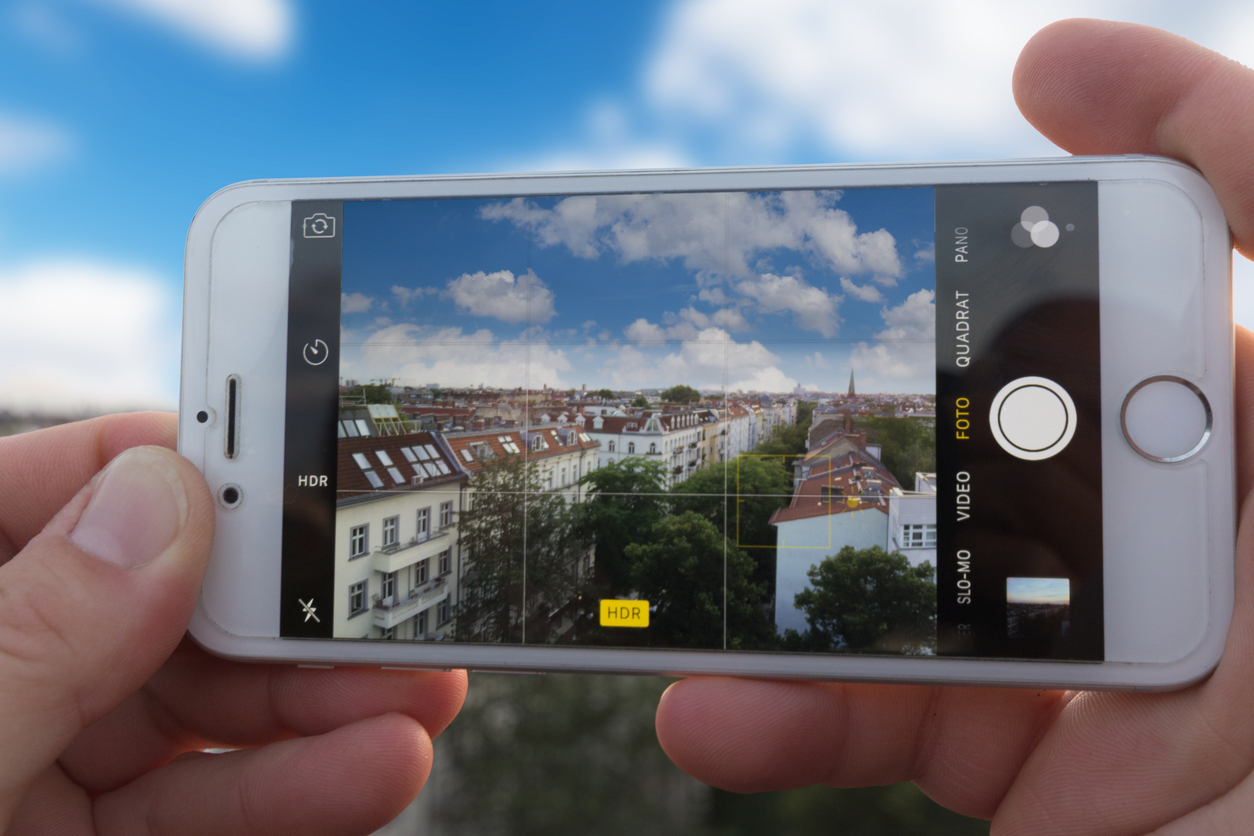
The image shows a stunning city skyline through an iPhone camera and shows that a clear image is one of many benefits of Apple lens protectors.

Benefits of Apple Lens Protectors

Taking photos is an age-old method for capturing memories. The advent of the smartphone forever changed the landscape of photography. People now have professional-grade cameras at their fingertips at all times. Surveys indicate that the vast majority of smartphone users use their cameras on a daily basis. The convenience of having a high-quality camera attached to your phone has made taking photos more common and, in turn, increased the need for camera lens protection. If you are one of the many iPhone users who are increasing your phone camera usage, look at this guide on the benefits of Apple lens protectors.

Benefits of Apple Lens Protectors

Enhanced Protection

Phones can easily drop when accidents happen, leading to cracks, scratches, and other damage. While the damage most commonly impacts your screen, it can also impact your phone’s lens. This can impact your photos and ability to capture memories whenever you want. Fixing the issue can be costly and time-consuming. Because of this, it’s helpful to invest in an Apple lens protector.

Cost-Effective Product

Newer phones can cost hundreds to repair. In fact, repairing your phone’s lens can be costly and take time to address. You can easily avoid this by purchasing a lens protector and other ITSKINS phone accessories. Accordingly, investing in lens protection reduces the risk of having to spend hundreds on repairs. Consider getting lens protection, screen protection, and a case to fully protect your phone from accidents.

Improved Durability

Apple lens protectors add a layer of protection to your phone’s camera lens, enhancing its durability in the event of an accident. The protector is often made from durable materials that can withstand much more than the lens itself. Reducing the risk of damage by investing in a lens protector is a beneficial decision. 

Improved Photo Quality

High-quality lens protectors can actually improve the quality of your photos. They are made from high-quality transparent materials, and some are also anti-reflective to ensure the highest-quality photos. If you take photos regularly or even just on occasion, an Apple lens protector is an excellent investment.

Putting On Your Apple Lens Protector

Purchasing an Apple lens protector is a great way to protect your phone. The lens protector is easy to put on your phone and takes just a few minutes. Before you get started, be sure to clean your camera lens. There should not be any fingerprints or dust on your phone. A microfiber cloth is a great way to get your lens really clean.

Once your phone lens is clean, align the protector with the lens of your phone. Gently place it down over the lens. Be sure that it is centered correctly, as it is difficult to pull it off and reapply it. Once the lens protector is centered and placed on your lens, press down lightly on it. Next, press from one side to the other to ensure there are no air bubbles. Air bubbles can impact your photos and may require a new lens protector. Take a few photos once you have applied the lens protector. After that, you are good to go, and your lens is protected!

ITSKINS Phone Accessories

Having a camera at your fingertips is amazing. You can capture photos of your children or take a selfie while doing something fun. To ensure you can continue to take as many photos as you want, consider purchasing an Apple lens protector. Check out the selection at ITSKINS today to find the right accessories for your phone!

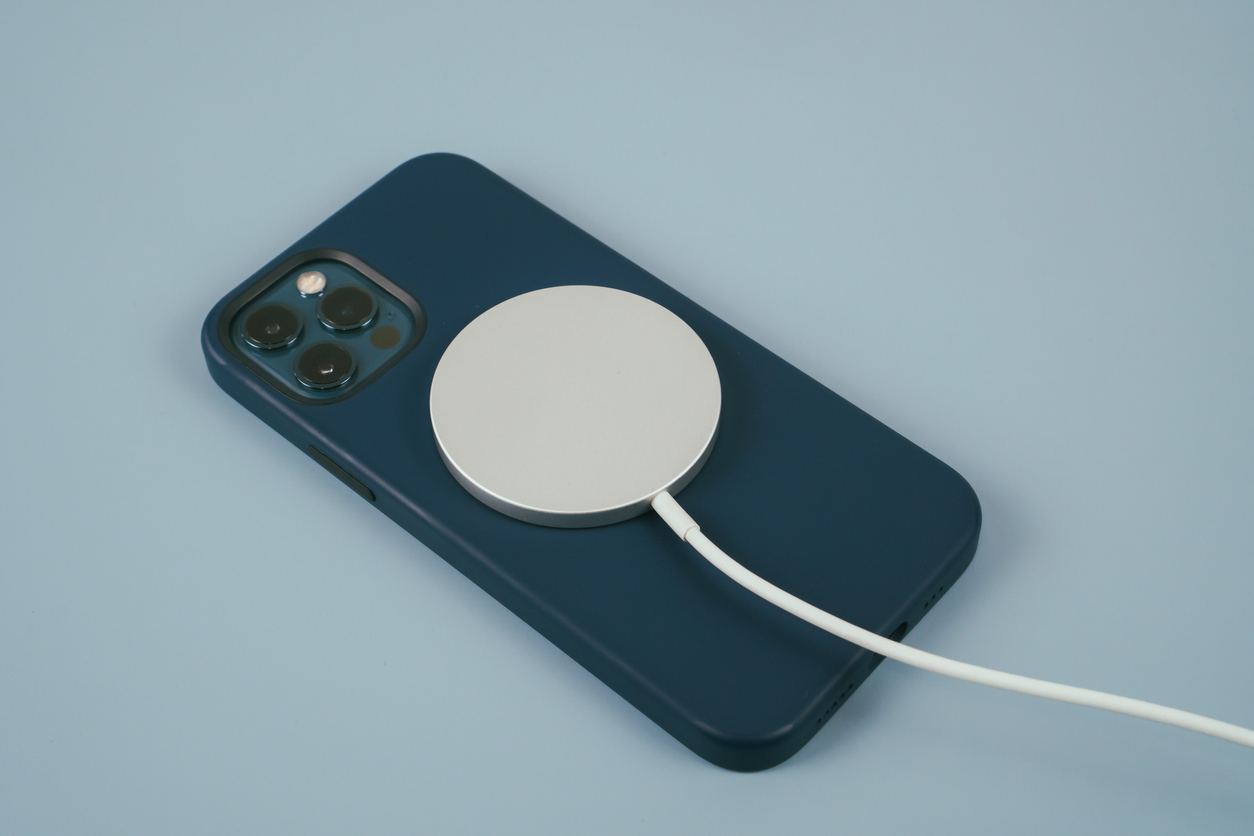
The image shows a phone being charged with a MagSafe charger and introduces reasons you should switch to a MagSafe charger.

Six Reasons You Should Switch to a MagSafe Charger

Though the digital world constantly evolves, one thing always stays true: convenience, efficiency, and safety are of the utmost importance to consumers. Apple’s MagSafe technology, which was initially introduced with the iPhone 12, tackles all three. It has revolutionized the charging experience for many users. If you have yet to seriously consider making the switch, here are six reasons you should switch to a MagSafe charger, which is readily available at the family-owned retailer IT Skins.

Six Reasons You Should Switch to a MagSafe Charger

1. Seamless Magnetic Alignment

One of the most significant features of the MagSafe charger is its seamless magnetic alignment. Traditional wireless charging can be tricky, requiring exact placement before it can start charging. However, with MagSafe chargers, it is automatic. They automatically snap into the best position on the back of your iPhone, and you can be assured of consistent and efficient charging every time so that you can wake up to a fully charged phone every morning.

2. Enhanced Charging Speed

With MagSafe, you can charge your phone super fast with up to 15 W so that you do not waste any time. Whether at home, on your way to a meeting, or heading to a social function with your MagSafe, you can always be sure that sending and receiving calls and messages will not be a problem. 

3. Versatile Accessory Ecosystem

You can easily customize your device to fit your needs and style.

MagSafe users can choose from a diverse selection of accessories, including wallets, cases, mounts, and stands. These compatible accessories snap without a hitch into your iPhone or Android phone. They can be used with MagSafe technology as long as you use the proper attachment, like magnetic charging rings. 

While traditional wire chargers are prone to wear and tear, MagSafe is different. Lightning or USB-C cables suffer from tears caused by the physical strain on the charging point, while MagSafe is more resilient and less likely to suffer that kind of damage.

4. Compact and Efficient Design

MagSafe is a game-changer for travelers. Its slim design makes it easy to pack. Whether you are in a hotel room or the airport lounge, its magnetic alignment ensures that you can set up and start charging fast. It is also compatible with a wide range of power adapters, including those used internationally.

5. Excellent Safety Features

MagSafe has impressive safety features that protect both your iPhone and your charger itself. The magnetic connection decreases the risk of overheating by disconnecting possible dangers when it detects metal interference. You will have peace of mind when you charge your phone using MagSafe technology. Although it easily attaches to the back of your phone, it also detaches easily, keeping your phone safe from getting thrown onto the floor in case somebody trips on the wire while it is charging.

6. Eco-friendly

MagSafe works with any compatible magnetic ring and ensures that you have fewer cables to buy and replace over time, making MagSafe chargers an eco-friendly option.

Switch to a MagSafe Charger Today

MagSafe ensures precise alignment, stable connections, and efficient and safe charging. In addition, there is an ecosystem of MagSafe-compatible accessories that you can use for your iPhone or Android phones. This combination of excellent features makes MagSafe a noteworthy advancement in wireless technology. Whether you want to streamline your daily charging routine or are just looking for a safer option, MagSafe is the solution you are looking for. Make that switch and join the millions of other MagSafe charger users today

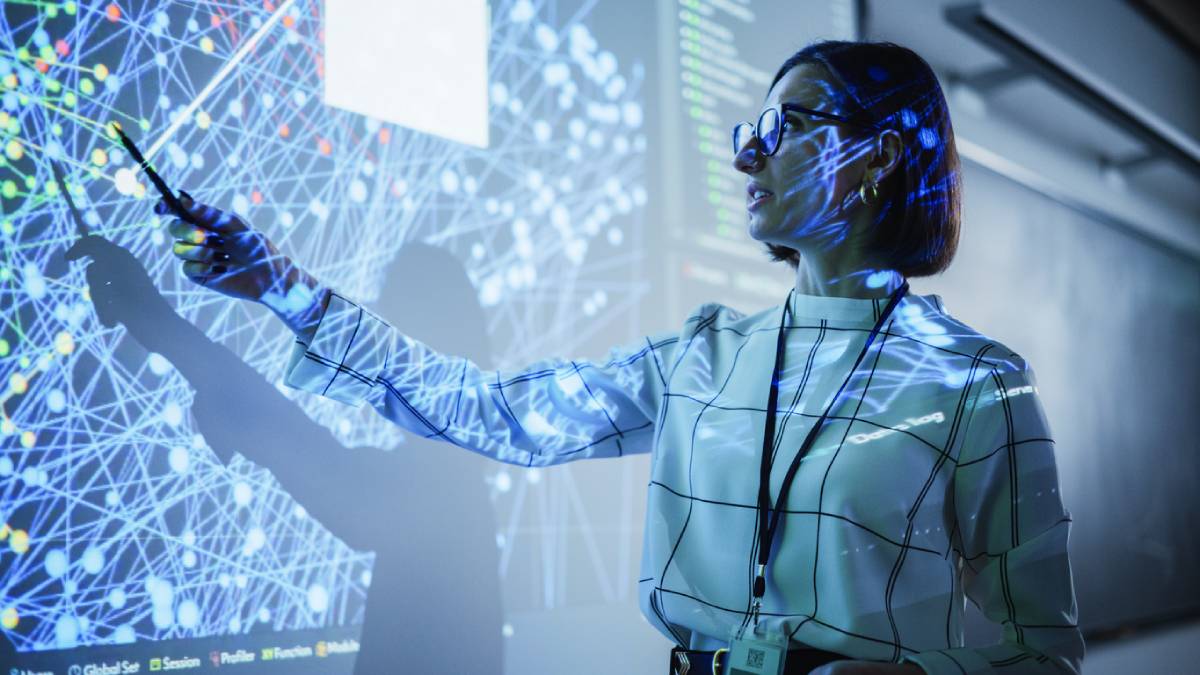
concept of woman presenting after a schedule a tech seminar

How to Schedule a Tech Seminar

Scheduling, and planning a tech seminar can be both rewarding and overwhelming. It may cause the organizers some sleepless nights especially when there are glitches in the plans. Below, we cover how to schedule a tech seminar.

From budgeting to making sure the attendees stay engaged throughout the event to ensuring that the technical aspect of the event is well-executed, there are just a lot of elements involved and things to be considered. But with a strategic, structured approach and meticulous planning, and possibly the help of a custom cable company, you will be able to pull off a successful seminar that meets or exceeds your expectations and delights the participants.

If you are a newbie looking for a step-by-step guide on how to schedule a tech seminar or you are an experienced planner who is simply looking for some fresh ideas, this post will be a big help to you.

How to Schedule a Tech Seminar

Goal Setting 

Start with a clear purpose in mind. What is your goal? What objectives do you want to achieve? Start with the end in mind. Think about your attendees. What do you want them to get from this seminar.

Goal setting will make sure that you do not end up like a tumbleweed that is going to be tossed to and fro and get lost in all the overwhelming details.

Your Target Audience

Identify your attendees. Who are they? Understanding who they are, the industry they come from, and their profession may influence many decisions. Are you targeting engineers, researchers, or product managers? Your seminar should be customized according to the needs and interests of your target audience. This will make your seminar more relevant and appealing.

Seminar Format

Events nowadays can be face-to-face, virtual, or hybrid. Each one has its pros and cons.  Face-to-face seminars provide more personal connections that one does not get from a virtual format. Meanwhile, virtual events allow you to reach more people from different parts of the world without them ever having to buy a plane ticket.  Hybrid events provide the venue for you to do both.  In the end, you will have to think about which format best suits the needs and expectations of your audience and which would help you achieve your purpose. 

Funding and Budgeting

Now that you’ve laid down the foundations of your seminar, it’s time to think about money. 

Start by listing down all possible expenses. Think about venue rental, speaker’s fees, food for participants and marketing expenses. If you have chosen to go hybrid or virtual, do you have the technical requirements for that or do you need to pay extra to be able to accommodate all attendees?

Where will the money come from? Will you shoulder everything, or can you think of other brands who might see value in working with you and sponsoring a part of your expenses? Talk to them and show them how sponsoring your event can be of benefit to them.

Date and Time

Choose a date and time for your seminar. Consider major holidays and industry conferences that may pose problems for you or the attendees. 

Your Venue

Choose a comfortable venue with adequate seating and audio-visual equipment and complete with all the necessary technology. If you are going hybrid or virtual, what platform will you use? Will it allow breakout rooms and other interactive features?

Seminar Timeline

Create a seminar schedule and note the time of the sessions, breaks, and other activities.

Engaging Agenda

Plan your agenda. Make it engaging and out-of-the-box. What has never been done but is possible to be done? What unique elements can you integrate? Always think about your attendees. What are their interests and desires? Give them opportunities to meet other attendees and expand their network.

Resource Speakers

The success of your event depends largely on the quality of your speakers. Look for experts in the industry who are not only knowledgeable but who are also engaging and capable of capturing the audience’s attention.   

Promotion

Get the word out there. Use social media, and email to inform your target audience about your seminar. Send out newsletters, and updates. Come up with an email sequence designed to excite your target audience about your event. Send regular reminders and countdowns as the deadline for registration nears. Offer discounts or exclusive perks for early birds.

Plan for a Successful Seminar

Planning a seminar entails a lot of hard work, patience, multitasking, and organizational skills. However, even an inexperienced person can pull it off and be rewarded with a successful event if they keep these ten steps in mind.  And if, by any chance, you are planning wire and cable seminars, we will be more than happy to help you and your engineers. No need for you to prepare the course materials because we will do it for you.

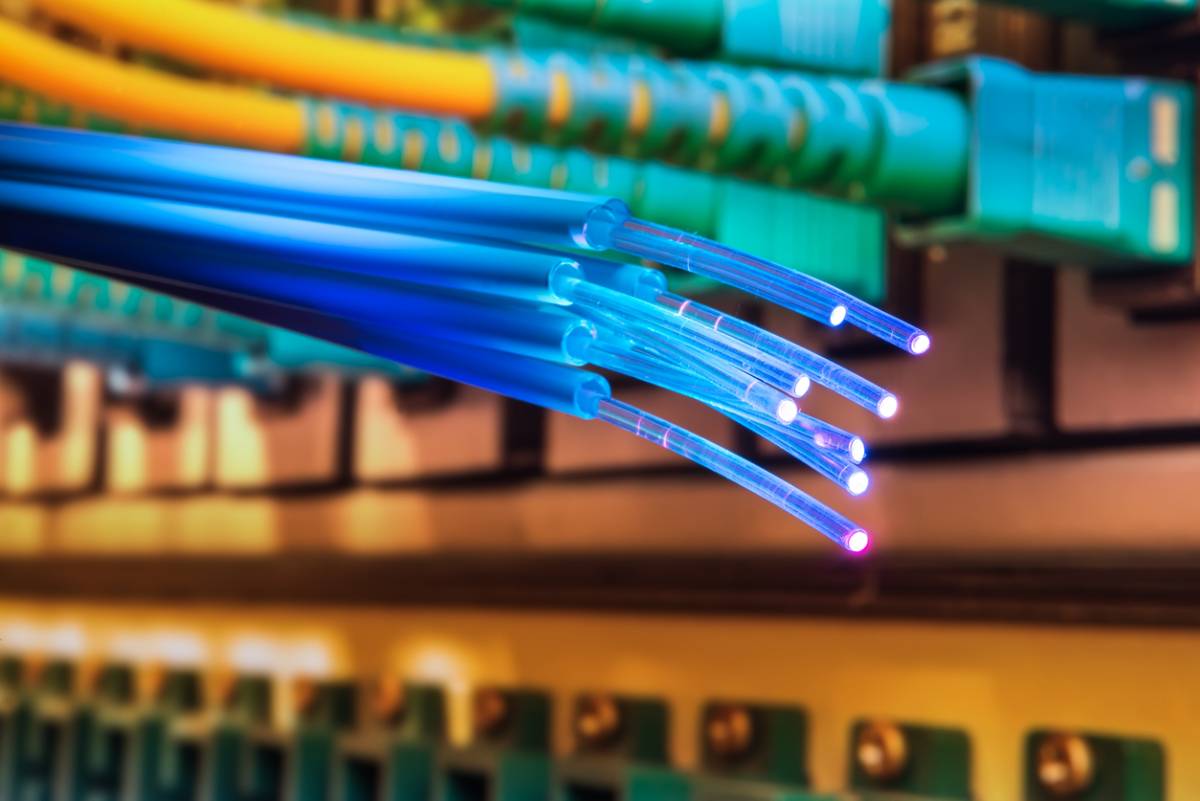
concept for why is fiber optic cable faster than copper

Why Is Fiber Optic Cable Faster than Copper?

Fiber optic cables are a reliable way to transmit data. They are fast, efficient, and offer high-speed data communication. In fact, they have revolutionized data transmission due to their major benefits. Unlike copper cables that use electrical signals to transmit data, fiber optic cables utilize light signals to carry information. While they both provide the same function, their unique differences set them apart entirely. You may wonder why is fiber optic cable faster than copper. Below, you will find more information about the benefits of fiber optic cables. 

Why Is Fiber Optic Cable Faster than Copper?

Both copper and fiber optic cables transmit data from one point to another. This includes both short and long distances. While they both provide the same function, there are marked differences between the two. Fiber optic cables offer several benefits as compared to copper cables. Consider the reasons why fiber optic cables offer advantages as compared to copper cables. 

High Bandwidth:

Likely one of the more important factors, fiber optic cables have a higher bandwidth than copper cables. Bandwidth is important as it refers to the amount of data that can be transmitted. Fiber optic cables are a top choice as they have fewer issues, especially during high-demand applications. This includes things like video streaming and gaming online. Additionally, fiber optic extenders can provide even more depending on your unique needs.

Mode of Transmission:

Unlike copper cables, fiber optic cables utilize light signals to transmit data. Copper cables utilize electrical signals which can be slower. Fiber optic cables also send data longer distances without interference issues. This enables fiber optic cable users to transmit data faster and at higher bandwidths as compared to copper cables.

Fast Speeds:

Fiber optic cables ensure that your data travels fast from one point to another. There are several applications where this is highly important. Unlike copper cables, fiber optic cables are able to travel much faster through glass or plastic fibers. This is because light travels much faster than electricity. The benefit of improved performance when playing video games or streaming using fiber optic cables is unparalleled. 

Transmission Length:

The distance fiber optic cables can travel is much longer as compared to copper cables. In addition, it is done without any signal loss or latency issues. Fiber optic cables are able to reach longer distances due to the low risk of signal loss with light transmission. This is why fiber optic cables are used in important applications, including telecommunication networks and even submarine cables. AV pro systems using fiber optic cables are not only able to reach long distances, but they are reliable and consistent.

Reduced Risk of Interference:

Fiber optic cables are not impacted by electromagnetic or radio frequency interference. Both have the potential to reduce the speed and quality of data transmission. Fiber optic cables transmit data using light signals. Light signals are not impacted by external factors such as interference of electromagnetic fields. This is what makes fiber optic cables much more reliable and consistent as compared to copper cables.

Materials:

The materials used in fiber optic cables are fundamentally different from the materials in copper cables. Fiber optic cables are made from glass or plastic fibers and copper calves are made with copper. These differences account for the differences in performance. Understanding your unique application’s needs is critical when determining whether to choose copper or fiber optic cables.

AV Pro Systems

If you are considering fiber optic or copper cables, take into account the unique benefits of fiber optic cables outlined above. Both types of cable provide the same function. However, they have unique differences. Contact the team at Kanex Pro today with any of your AV connectivity questions! 

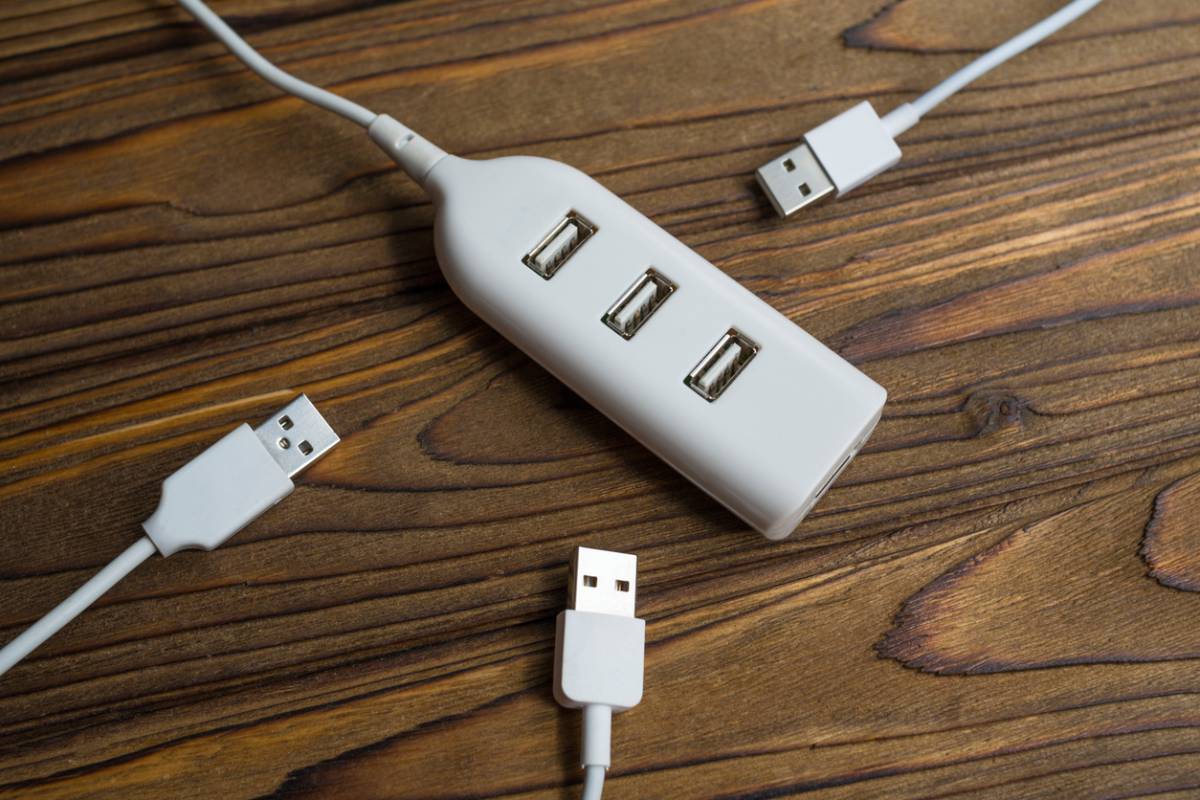
featured concept for when you need a usb extender

When Do You Need a USB Extender?

USB extenders are helpful devices that extend the distance between your connected devices. They offer extended reach, improve performance, and are cost-effective as compared to alternative products. No matter what your application, USB extenders are highly versatile and easy to install. They are must-haves in every office, home entertainment center, and everywhere in between. If you do not already have one, you may wonder, when do you need a USB extender? Below, you will find more information about the technology and how it can benefit you.

When Do You Need a USB Extender?

USB extenders are extremely useful in any environment that utilizes technology. They can be used at home, work, or any space with a tech setup. USB extenders extend the distance between your devices. This includes your laptop, keyboards, printer, external hard drives, and other devices. The technology consists of a transmitter unit and a receiver unit. These are connected by a fiber optic or Ethernet cable. There are several different types of USB extenders that can be found at the top AV systems manufacturers. Each extender has its own unique benefits, depending on your unique needs.

Benefits of USB Extenders

There are several setups that may require distance between devices. USB extenders are an effective solution for accommodating this. USB extenders are helpful in any space that utilizes technology both at work and at home. This is due to the several benefits that come with using it.

Increased Reach:

The most notable benefit of using a USB extender is its extended reach. USB extenders allow you to connect your devices or other devices at a distance. Some extenders can reach more than 150 feet. This allows for optimal convenience and flexibility no matter where your devices are.

Improved Organization:

Most home and work offices have a lot of messy and unsightly cable setups. Clutter can impact productivity, cause safety hazards, and even impact the aesthetic of your space. This can be easily avoided by utilizing a USB extender. A clean and organized space is professional and aesthetically pleasing.

Reliable Performance:

There are a lot of amazing technological advancements that can improve your work or home life. However, some may not be as reliable as others. USB extenders are highly reliable and you will not experience signal loss while using them. This is beneficial for those in a professional work environment as reliability and consistency are key when it comes to technology.

Cost-Effective Solution:

If you want or need to be able to connect your devices at longer distances, USB extenders are a great option. There is no need for expensive setups that take time and money to set up. A USB extender is highly beneficial and will not cost you as much as alternative options. The selection at Kanex Pro is vast and can meet any of your USB extender needs.

Versatile Technology:

USB extenders are highly versatile as they can be used in a wide variety of applications. They can be used in multimedia setups at work or home, in addition to industrial or commercial settings. The versatility makes them a great investment in your tech setup.

AV Systems Manufacturers

Setting up your home or work technology setup can be overwhelming, depending on the size and scale of the project. Avoid stress by working with the top AV systems manufacturers at Kanex Pro. They offer a wide variety of products to make your setup seamless and effective. The team at Kanex Pro is focused on providing top-tier technology that is both reliable and affordable. Check out the selection at Kanex Pro today!

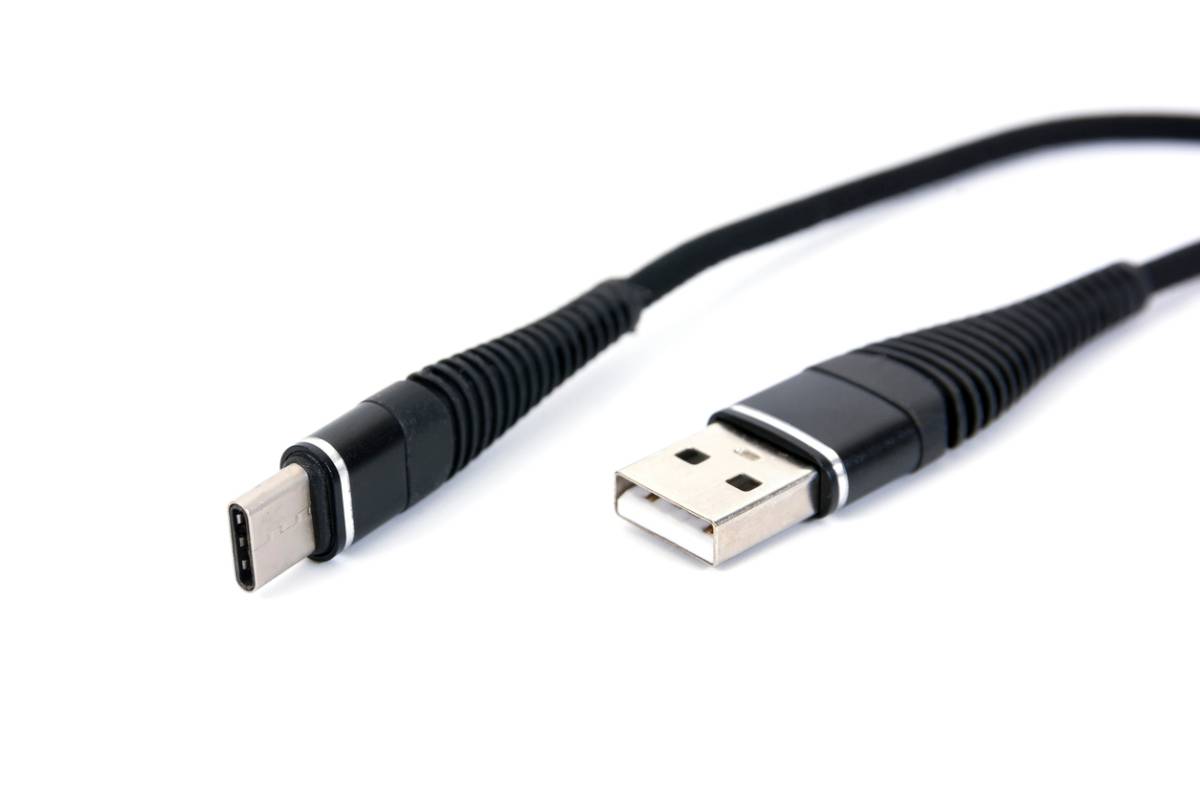
concept of what makes usb generations different, usb c and 3.0

What Makes USB Generations Different?

Advancements in the field of information technology are made so quickly that it can be overwhelming to keep up with the changes. This impressive rate of change is distinctly evident in the advancements made to universal serial bus, commonly known as USB. USB refers to a standard of the specifications used by cables, ports, and protocols that enable universally accepted connectivity between host and peripheral devices. For computer users who are not especially tech-savvy, understanding the differences between USB generations is quite challenging. These users may even be unaware that such differences exist at all. Regardless, these changes have revolutionized the practices of virtually all tech companies, from data storage businesses to professional audio-video suppliers. Throughout this article, we will detail exactly what makes USB generations different so you can stay informed.

What Makes USB Generations Different?

USB 1.0

USB 1.0, released in 1996, was the first USB to reach consumers. It allowed for data transfer rates of 1.5 megabits per second (Mbps), though power restrictions prohibited it from supporting extension cords.

USB 1.1

Two years later, USB 1.1 was released as a revised version of the limited USB 1.0. 1.1’s Mbps was the same as 1.0’s, except that 1.1 could also operate at slower speeds for lower-bandwidth devices. USB 1.1 had the additional benefit of being adopted by Apple’s iMac G3, which increased the popularity of the new standard.

USB 2.0

Advancements in other areas of technology once again called for a faster data transfer speed, and in 2000, USB 2.0 was released with a data transfer rate of 480 Mbps. 2.0 is also referred to as high-speed.

USB 3.0

Released in 2008, USB 3.0 ushered in the era of superspeed connectivity. A giant leap from USB 2.0, 3.0 had a maximum speed of 5 gigabits per second (Gbps) and was ten times faster than USB 2.0. USB 3.0’s release was a dream come true for gaming and HD video streaming enthusiasts. USB 3.0 is now known as USB 3.1 Gen 1.

USB 3.1 Gen 2

When USB 3.1 Gen 2 appeared, it raised the bar even higher and doubled USB 3.1 Gen 1’s maximum data transfer rate to reach 10 Gbps. The only difference between 3.1 Gen. 1 and 3.1 Gen 2 is their speed.

USB 3.2

USB 3.2 arrived in 2017 with four different variations.

  1. Gen 1 x1 has the same specifications as USB 3.1 Gen 1 and USB 3.0, with a transfer speed of 5 Gbps. It provides USB-A, USB-C, and micro USB interface options.
  2. Gen 1 x 2 has a speed of 10 Gbps and allows USB-A or USB-C connectors.
  3. Gen 2×1, functionally the same as USB 3.1 Gen 2, has a speed of 10 Gbps and utilizes USB-A, USB-C, and both mini and micro USB interface options.
  4. Gen 2×2 has a transfer speed of 20 Gbps but only accepts USB-C as its interface.

USB 3.2 made multi-lane operation possible. Using only a single USB-C cable, it enabled concurrent data transfers over multiple lanes, simplifying setups and optimizing efficiency in professional audio-video environments. Beyond that, the availability of extra-long USB cables made workspace design more flexible, allowing seamless connection between distant devices. USB 3.2 is compatible with previous generations and ensures no problem with connectivity.

USB 4

With a maximum data transfer rate of 50 Gbps, the USB 4 offers unprecedented speed and allows file transfer, 8k video streaming, and high-performance computing with lightning speed. Due to its backward compatibility with other existing USB and Thunderbolt devices, it is able to support a wide variety of devices and peripherals.

Key Features of USB 4

  • Using only a USB-C connector, it can display and transfer data, as well as charge devices.
  • It works with just about any USB or Thunderbolt device you already have without any problem.
  • The defined capabilities of each port provide a consistent and simplified user experience.
  • It offers more flexibility in performance-related parameters such as bandwidth configuration and power management.

The role of USB technology in driving innovation and enabling new possibilities in the digital world is undeniable. From the foundation of USB 1.0 to the unbelievable speed of USB 4, USB technology has continuously surpassed itself in terms of connectivity and productivity. Whether you are a professional audio creator looking for ways to improve your workflow or a casual tech user seeking uncomplicated service, USB technology can enable you to achieve more.

featured image for key advantages of the one plus 12 phone

Key Advantages of the One Plus 12 Phone

OnePlus marks its ten-year milestone with a device that boasts excellent camera capabilities, power that is comparable to that of its competitors, and impressive battery life. Although the OnePlus 12 cannot be described as cheap, it is still notably more affordable than its rival phones. (In case you need some protection or accessories for the OnePlus 12 or any other smartphone, check out ITSkins phone cases and more.) The combination of cutting-edge technology, affordability, and meticulously designed features to enhance user experience make the OnePlus 12 a great option for your next phone. There are actually some key advantages of the OnePlus 12 phone that may convince you to make the switch if you haven’t already done so. Below, we cover key advantages of the One Plus 12 phone.

Key Advantages of the One Plus 12 Phone

Battery

Large battery capacity is paramount in today’s lifestyle. There is a strong demand for extended battery usage time without having to recharge. With OnePlus 12, prolonged usage on a single charge is possible. Users can enjoy playing games, streaming videos, or browsing the web without interruptions. It is a 5,400 milliamp-hour battery. That is bigger than other ultraphones. In addition, the battery charges super fast at 80 watts wired (it takes only around half an hour to fully charge your phone) and 50 watts wireless charging. The speed with which you can charge it to its total capacity means fewer hours of downtime, and it will keep you connected to the rest of the world, especially at times when you need it most.

Infrared blaster

Always wasting time looking for your TV’s remote? With OnePlus 12, you won’t even have to look for it. This smart feature adds a layer of convenience to your everyday life.  One of the least common smartphone features, the infrared blaster allows you to control your appliances like TVs, sound systems, and air conditioners directly from your OnePlus 12 phone. If you’ve ever wished you could call your TV’s remote to know where it is, now you can control your TV even without the remote.

USB-C port

Aside from supporting super fast charging, its port also supports extremely fast data transfers. With the right cable, large files like videos can be transferred at lightning speed. This means less time waiting for transfers to finish and more time for conceptualizing, editing, and enjoying your content. Overall, it gives you higher productivity and a better overall user experience.

Aqua Touch

Ever struggled with using your phone when there are water droplets all over the screen?

With OnePlus 12, you can send a text in the rain. Aqua Touch allows users to interact with their phones in adverse weather conditions and challenging situations. With Aqua Touch technology. You are assured that your screen remains responsive and functional, and you can call or text regardless of environmental conditions.

Color offerings

The color choices available in the market play an essential role when it comes to personalization and customization. Unlike the different shades of gray or the same boring colors being offered by rival companies, OnePlus 12 comes in prettier, more interesting colors that allow users to express their own personal uniqueness and individuality. A bit of shimmer and glitter would not hurt and it certainly does not only add to OnePlus 12’s aesthetic appeal, it also helps users make a statement that reflects their unique personality and taste. 

Flagship Device Killer

The different features of the OnePlus 12 make OnePlus a stand-out phone and a formidable competitor in the industry. From its impressive battery to its other features like the infrared blaster and Aqua Touch technology, the OnePlus 12 seems to redefine what mobile users expect from their smartphones. Dubbed a flagship device killer, the OnePlus 12 offers mobile phone users a powerful, feature-rich smartphone that complements their lifestyle without breaking the bank. Getting your own OnePlus12, or do you have one already? Check out OnePlus phone cases and make sure that your phone is protected.

featured image for which Google pixel is best to buy

Which Google Pixel Is Best to Buy?

Google Pixel phones are popular as they offer several benefits as compared to alternative options. The phones have excellent photo quality and provide consistent and reliable all-around performance when it comes to other factors. There are several different options when it comes to choosing a Google Pixel phone. You may wonder, which Google Pixel is best to buy? Below, you will find helpful information about Google Pixel phones, including which one is right for you.

Which Google Pixel Is Best to Buy?

The Google Pixel lineup may be overwhelming, but this guide can help you find the one that is right for you. Google Pixel phones are designed to smoothly combine both hardware and software. This ensures that you have every function you need, in addition to the very best camera. All of this is achieved with artificial intelligence at the center of it. Consider the following when choosing which Google Pixel is right for you.

Pixel 8: 

The Pixel 8 and Pixel 8 Pro is the newest version and offers great benefits. It has an excellent screen, a great camera, and a long software support period. However, there are some drawbacks. The battery life is average, so it’s important to have your ITSKINS wall charger handy. Additionally, the process performance is average as compared to the Google Pixel 8’s competitors. If you plan on using your phone a lot, especially your camera, the Pixel 8 or Pixel 8 Pro may be a beneficial option.

Pixel 7: 

The Pixel 7 is a great phone option as it offers several benefits. However, it is no longer the newest Google Pixel as it has been surpassed by the Pixel 8. The Google Pixel 7 is still a great performing phone as it has an elegant design, great camera, great photo features, and a free VPN. As with each phone, the Pixel 7 does have some drawbacks. The Pixel 7 has poor battery life and does not have as much Android version support as compared to Samsung. The phone is an excellent investment, so it’s important to protect it. Google smartphone cases are a helpful option that can make sure your Pixel 7 lasts.

Pixel 6: 

The Pixel 6 is an older model, but it still has excellent features. The best part of the Pixel 6 is that it is a great value for the price. It has a two-tone design, and the camera is high-quality. There are some drawbacks to the Pixel 6 as well because it is an older version. The Pixel 6 has an under-display fingerprint reader. Additionally, the camera is not as great as the Pixel 8, but it is still very good. Lastly, the battery life is not great, so it’s important to always carry your charger as you won’t get more than one day out of a charge.

Google Pixel Phone Benefits

The Google Pixel is a great phone as it offers comparable features as compared to the iPhone. Consider the following overall benefits of Google Pixel phones.

Camera Quality: 

Pixel phones are well-known for their excellent camera capabilities. They offer popular features such as Night Sight, Portrait Mode, and Super Res Zoom.

Unlimited Cloud Storage: 

Unlike iPhones, Google Pixel phones have unlimited cloud storage. This is highly beneficial as you will likely be taking a lot of photos.

Fast Performance: 

Google Pixel phones have some of the best hardware on the market. This ensures that the phone provides fast and smooth performance.

ITSKINS Phone Cases

No matter what phone you have, it’s important to protect your investment. If you need protection for your phone, check out the selection at ITSKINS. They offer a wide variety of style and design options no matter what phone you have! 

featured image for what is a cable spark test

What Is a Cable Spark Test?

Quality control is an integral part of the manufacturing process. This ensures the safety and integrity of the entire process. From employees to the machinery itself, maintaining high standards of both quality and safety is key. A cable spark test is an important part of this process. You may wonder, what is a cable spark test? Below you will find more information about the test and why it is important.

What Is a Cable Spark Test?

A cable spark test is a quality control measure used during cable manufacturing. It is an important wire and cable testing measure that ensures the safety and integrity of electrical cables. It is essential for detecting cable defects, including cuts, nicks, or punctures in the cable’s insulation. 

The test itself involves applying a high voltage to the cable. This voltage is much higher than the cable’s actual operative budget. The test involves gradually increasing until it reaches the desired level. The insulation is examined to ensure that there are no signs of sparking or arcing. If either of these occurs, it’s an indication that there is a defect. Common defects include a pinhole or void.  

Benefits of a Cable Spark Test

A cable spark test, also referred to as a high-voltage spark test, is necessary for several reasons. Consider the following benefits of a cable spark test.

Preventative: 

A cable spark test is a preventative measure as it effectively detects issues in the cable’s insulation. Common issues include cuts, nicks, or punctures. Without the cable spark test, these issues going unnoticed can lead to electrical failures, short circuits, or a fire. This can cause serious property damage and is a major safety risk.

Quality Control: 

Quality control is critical for both the consumer and the manufacturer, and consumers rely on products that are both safe and reliable. This is why it is important to purchase cables from a reputable custom cable company. Companies that have high-quality control measures, such as a cable spark test, provide you with peace of mind.

Safety Measure: 

Electrical cables can pose serious risks to both people and property. By conducting a cable spark test, it can reduce the risk of harm. Having reliable cables that are safe is a necessary investment. Untested cables can cost you a lot of time and money if there are issues in the future.

Spark Testing and Cable Manufacturing

Spark testing is a common step in the cable manufacturing process. Spark testing is not only done during the manufacturing process though. In fact, it is often done during the installation process and during routine maintenance. Because electrical issues can pose such serious risks, it’s critical to regularly check the integrity of your electrical cables. For those looking for custom cables, it’s important to work with a custom cable company that takes the necessary safety measures. 

While cable spark tests are not mandatory, they are highly recommended. Electrical cables are used in industries that require high standards of safety. Common industries and electrical cable applications include manufacturing, automotive, and aerospace. Calmont Wire & Cable tests its products regularly to ensure both safety and innovation. They provide more than just cable spark testing as they offer electrical, mechanical, physical, and network analyzer tests. 

Custom Wire and Cable Company

If you need custom cables that meet your specific application needs, contact the team at Calmont Wire & Cable. They offer customer wires and cables for a wide variety of applications, including medical, military, robotics, aerospace, and communications. Their skills and experience in the field make them industry leaders. Contact the team at Calmont Wire & Cable today for more information!