Featured image for Must-Visit Theme Parks in Orange County

Must-Visit Theme Parks In Orange County

Orange County is one of the most popular travel destinations in the world. More than fifty million people visit the area annually. Hot spots include beaches, fantastic golf courses, shopping, cultural attractions, cuisine, and theme parks. Home to some of the most popular theme parks in the world, Orange County attractions are unparalleled. This is why the area is a top travel destination for individuals and families. Below, you will find the must-visit theme parks in Orange County.

Must-Visit Theme Parks In Orange County

The beauty of Orange County is that the weather is mild and enjoyable all year round. You won’t find dreadfully hot summers or snowy winters. In fact, you can enjoy great weather all year round. This is why there are so many amazing theme parks to enjoy. Add the following must-visit theme parks in Orange County to your list of things to do on your next vacation.

Disneyland

Likely the most popular attraction in Orange County, Disneyland is a hotspot for fun, food, and rides. The world-famous park offers unforgettable experiences for individuals, couples, and families. The amusement park is divided into different lands that have unique themes. Each area includes food, characters, and attractions related to the theme of that land. The entire park is filled with new rides and classics for everyone to enjoy. Be sure to ride the Big Thunder Mountain Railroad and Indiana Jones Adventure. They have to be at the top of your list when you head to Disneyland.

To get the most out of your trip to Disneyland, arrive early! You can beat the crowds and get on popular rides without having to wait too long. If you want to invest a little extra cash into your ticket, add the Genie+ feature. It allows you to skip long lines at select attractions. If you have a family that needs food accommodations, check out the menus beforehand. Disneyland offers food for everyone, including those who are vegan, vegetarian, and even gluten-free.

California Adventure Park

Right across from Disneyland is the California Adventure Park. While it has the charm of Disneyland, it offers a completely different experience and is definitely one of the most exciting things to do in and around Costa Mesa. The park is filled with attractions related to Disney’s Pixar and Marvel characters. Characters like Spider-Man and Iron Man can be spotted there. Fun rides include Radiator Springs Racers and Guardians of the Galaxy’s Mission Breakout. You also do not want to miss the Ferris Wheel. It may look simple, but it is an adrenaline-filled ride with great views of the entire park.

As with Disneyland, make the most out of your day at California Adventure Park by arriving early. You can get into the rides you want and get the first seats at some of the Marvel experiences and Avengers Campus. If you have little ones with you, consider checking out the height requirements for the rides in advance. This can help you map out your day to get the most out of your trip.

Knott’s Berry Farm

Head over to Buena Park for some fun-filled action at Knott’s Berry Farm. The theme park is filled with a lot of thrills as it has some amazing roller coasters. If you are up for the thrills of crazy drops and loops, this is a must-see on your Southern California vacation list. The best attractions include GhostRider and Calico River Rapids. GhostRider is the longest, tallest, and fastest wooden coaster on the West Coast!

A day at Knott’s Berry Farm should start early, as is true for all theme parks. It allows you to beat the crowds and get on your favorite rides before the masses show up. There are a lot of great places to eat at Knott’s Berry Farm, so be sure to bring your appetite. Another pro tip is to visit in October when the theme park transforms into Knott’s Scary Farm. The thrills only increase at night!

Thrills Near Costa Mesa!

Test your courage at these incredible theme parks in Orange County and see what you add to your must-visit list!

Featured image for Why You Need a Tablet Case

Why You Need a Tablet Case 

Tablets are helpful devices for both your personal and professional life. You can easily navigate email, engage in active or passive entertainment, surf the web, and do a host of other activities. A tablet is a major investment in your tech devices. They offer the benefits of both a laptop and a cell phone conveniently wrapped into one device. Because of this, it is important to protect your tablet. Below, you will find the top reasons why you need a tablet case.

Why You Need a Tablet Case 

A tablet can cost anywhere from a couple hundred to a couple thousand dollars. No matter which end fits your budget, you will benefit from protecting your device from damage. One of the best ways to ensure it stays in good shape is to get a case. Consider the following reasons why you need to invest in tablet protection.

Accident Protection

A case can protect your tablet from damage caused by accidents. It is easy to drop your tablet even if you are careful. Without a case, a drop can lead to serious issues. You can easily crack the screen and cause internal damage. Tablets have internal components that can be easily damaged and cause issues. 

The cost of repairs for screen damage can be a few hundred dollars. Alternatively, internal damage to the battery, motherboard, or buttons can be as much as the cost of replacing your device. These costs can be easily avoided by purchasing a tablet case.

Improves Handling

Tablets are often slim and slippery due to the sleek design. This is an excellent feature as they are often lightweight and easy to transport. However, it can make them much more difficult to handle. They can easily slip out of your hands and get damaged.

To reduce the risk of damage caused by mishandling your tablet, purchase a case. Several different types of cases can reduce the risk of damage. Rubberized edges or textured material can help handle your tablet with ease.

Cost-Effective Investment

Purchasing a tablet case is a cost-effective insurance plan for your device. While you can also get actual insurance, a case can ensure you do not have to waste your time. Getting your device fixed with insurance may reduce the costs. However, you still have to count the amount of time lost without your tablet. This can be impactful if you use it often.

A case can cost less than $50, depending on what you shop. This is a steal when you consider the costs of replacement or repair. It is also helpful to consider that damage does more than drain your pocketbook. Damage to your tablet can reduce your productivity, slow down the system, and decrease the potential resale value. 

Show Your Style

A case for your device can also show your personality. There are several designs that are simple and sleek. However, there are a number of designs that vary in color, design, and material. Pick a tablet case that represents who you are. There are even options that prioritize sustainable innovation. You can feel confident that your case is not contributing negatively to your ecological footprint. 

In addition to representing your style, many cases have additional functional features that are highly beneficial. Some cases have kickstands, keyboards, and stylus holders, which can facilitate their ease of use. It can also improve your productivity. Consider your personal needs, whether they are for work, school, or personal use. Filter for features that can improve your user experience. 

Tablet Protection

If you do not have a case for your tablet, check out the selection at ITSKINS today! 

concept for how automated messaging saves time

Does Automated Messaging Actually Save Time?

Text marketing time and again has been proven a top medium for reaching your audience. You can send messages directly to consumers, employees, and more with a 95% open rate within three minutes. With the right SMS marketing software, you can even set up automated messaging. But does automated messaging actually save time?

Does Automated Messaging Actually Save Time?

Simply put, yes. Automation can take time to set up. However, that time is substantially less than completing the same task over and over again without automation. At its core, automation involves having a machine do key work for you.

Additionally, keep in mind that not all automation is equal. Ideal texting automation will include multiple features, including:

  • Drip campaigns
  • Auto responses
  • Reminders
  • Schedule messages
  • Link tracking
  • Automated workflows

How Does Automated Messaging Save Time?

To go through all the ways automation saves time, we would need an automation ourselves to save time. Instead, we will cover four main ways that automated messaging can save valuable time. When valuable time is saved, so is money. Beyond that, when you save time on tedious tasks, you free up your team to work on more important tasks.

Auto Responses

Imagine sending out a hundred messages to your contact list. Now imagine having to respond to every one of those messages individually. Even if all you do is copy-past responses, that can take a substantial amount of time. Even more, it is dreadfully repetitive.

With SMS marketing, companies don’t send messages to a hundred clients. They typically send out thousands, if not tens of thousands. Imagine responding to those all individually. Now imagine doing it again week after week. Watch your time go down the drain.

Automated responses and workflows not only can respond for you, they can do so in ways that engage your audience. If you set up branching responses, it might take some time at first. But it will save you countless hours in the long run.

Scheduled Messages

With ads and copy, companies rarely want to hit “send” the moment they complete the content. Instead, companies strategically plan their content and prepare it ahead of time. Marketing directed for the holidays may be written over the summer. But by the time winter comes around, it can be easy to forget to send those messages out, especially during busy times.

You can avoid communication errors by simply scheduling when to send a text. The moment the clock hits the appointed time, that message goes out to your audience.

Link Tracking

Manually compiling data about who follows the links in your messages can be mind-numbingly tedious. We invented machines to do that work for us. A quality texting software will pull that date for you. Beyond this, it should compile it in clear and distinct ways that make for effective evaluation.

Effective link tracking automation can enhance how you plan future campaigns. Look for what went right and what went wrong. Look at which customers prove consistent (or inconsistent) and tailor new messaging to those groups. In marketing, data is power, plain and simple.

AI Assistance

AI cannot create the perfect piece of marketing copy. But it can serve as a springboard for inspiration and momentum. One of the hardest parts of marketing copy is that first line or that core idea for the message. 

Integrating AI tools into your marketing campaign can speed up processes. However, stay careful. People can tell when something has that inauthentic feel of total AI content. Remember to use AI as a tool, not as the final product. When used improperly, any tool can actually get in the way of productivity.

Still Put in the Effort, Even with Automation

Remember, automation will never serve as a replacement for hard work. Crafting compelling marketing copy, creating strategic campaign plans, and more will all come down to having the right team.

However, automation can save that team from the more tedious aspects of the job. Instead of spending money on labor-hours for tedious work, you can focus on what matters. Automation frees up time to look at the bigger picture.

A poorly designed campaign may still cost your company money. Even if automation frees up time, it does not replace quality campaign content and marketing techniques. 

Trumpia Is at the Top of the Industry

From small businesses to Fortune 500 companies, Trumpia’s automated texting software has helped broaden companies’ reaches. With unparalleled API integration and features, their software promotes efficient and effective communication across industries.

Featured image for How to Choose the Best Network AV System for Your Needs

How To Choose The Best Network AV System For Your Needs

A good AV system can exponentially enhance your digital media experience. For this reason, you must know how to choose the best equipment for your AV system. However, with so many options in the market, choosing the right one can be overwhelming and confusing. An AV equipment supplier can give you some tips, but it never hurts to do some extra research on your own. Here is a guide on how to choose the best network AV system for your needs.

How to Choose the Best Network AV System for Your Needs

Establish Your Purpose and Needs

Begin by determining the primary function the system will serve.

  • Corporate: Corporate environments usually need video conferencing capabilities, multi-room audio, and digital signage.
  • Educational: Educational settings usually require reliable audio for large spaces like gymnasiums, auditoriums, halls, and the like. They may also require interactive displays and streaming capabilities.
  • Residential: Home users usually look for high-quality surround sound, easy streaming, and smart home capability

Defining the main purpose of your system will help keep your search focused on what will best meet your needs.

Assess the Environment and Its Size

The space where you will install your system is a critical point to consider when determining the specifications for your AV system.

  • Small Rooms: A basic projector, small screens, and compact speakers are usually enough for small rooms and offices.
  • Medium-Sized Spaces: Consider soundbars for surround sound and larger screens to extend the visibility and audibility of your media.
  • Large Spaces: A large space like an auditorium needs high-output speakers, large projectors, and a distributed audio setup to make sure that the display reaches all corners of the room and can be seen and heard by everyone, no matter where they are seated in the space.

High ceilings, hard floors, and big windows may also affect sound quality. If the architectural design of your space is affecting your audio, invest in acoustic treatments and/or more powerful speakers.

Choose Between Wired or Wireless Connectivity

Wired systems usually provide more stable connections. This quality makes them ideal for environments where uninterrupted connectivity is a must. Wireless systems, on the other hand, are more flexible in placement and setup and have a simplified installation process. They are perfect for home use or in spaces where aesthetics are a significant consideration.

Of course, you can always use a combination of both if they would benefit your AV system setup.

Compatibility and Scalability

Remember to future-proof your system. Your AV system should be able to adapt to technological advances.

  • Compatibility: Consider your laptops, tablets, smart home hubs, and platforms you already use. Make sure that your AV system will work well with them.
  • Scalability: If you expect to expand your setup in the future, look for systems that can be easily integrated with additional speakers, screens, or control units to avoid replacing a working system with a new one just because of integration problems.

Remember to check if your system is compatible with HDMI, USB-C, and other connectors that typically connect across devices.

Audio and Visual Clarity

In terms of audio and visual clarity, ensure that they meet your expectations. Do not settle for less.

Check that the wattage, speaker drivers, and frequency range are appropriate for your room size and match your desired quality. For the display, ensure that your projector or screen supports at least 1080p resolution for clear visuals. For future-proofing, 4k is preferred. For better color and contrast in movies and presentations, look for features like HDR.

Control and Usability

A solid system should be easy to control and easy to use.

There are different control options to choose from, so you need to decide whether you want a traditional remote control that will fit you best, a touchscreen interface, or even a voice control. A smartphone app can even allow you to control and manage the settings of your system.

Preset modes allow for easy setup for different scenarios, such as in environments where multiple people use the system.

Security for Networked AV Systems

Security is an important consideration, especially for networked AV systems, such as in corporate or educational settings, where sensitive information should be protected.

Choose a brand you can trust that offers regular software updates to lessen your vulnerability.

Budget Considerations and Long-Term Investment

AV systems come in a wide range of price points. There are high-end systems with advanced features, but if you are looking for a basic system setup to improve sound and picture quality, there are available options for you from anywhere between $200 and $1000. There are also mid-range systems with smart integration and high-end systems that offer top-of-the-line quality and advanced customization.

Get the Network AV System That Fits You Best

When it comes to choosing the best AV system that fits your best, there are many things that you need to consider. Still, no matter how hard and overwhelming it can sometimes be, following professional advice from companies like Kanexpro will mean you are bound to find the best network AV system for your needs. Explore Kanexpro today.

Featured image for Common Challenges With AV Systems Installation

Common Challenges with AV System Installation

Audiovisual systems have become essential in a variety of settings, such as boardrooms, conference centers, home theaters, and even classrooms. The installation of an AV system can be challenging, especially for those who lack extensive technical knowledge. Whether you are new to the nuances of audiovisual technology or not, it is vital to get your system components from an audiovisual technology supplier you can trust. They can help you understand the common problems that arise during installation to prevent pitfalls and ensure a smooth, problem-free set-up process. Here are some of the common challenges in AV system installation.

Common Challenges in AV System Installation

System Compatibility and Integration Issues

Modern AV systems are composed of different devices or components working together to provide the user with the audio and visual experience that they expect from their system. One of the challenges lies in ensuring that these individual components work together smoothly and seamlessly.

How to Solve:

Select your equipment correctly. Research ahead of time and purchase equipment that is known to work well together. Manufacturers nowadays offer comprehensive systems with components that are designed to work together. Plan well and ensure that each part is verified during the design stage to save time, effort, and money during installation.

Network and Bandwidth Limitations

Network requirements have surged as more and more systems depend on IP-based communication. When network bandwidth is insufficient, or network configuration is inadequate, it can lead to a lag, loss of quality, or sometimes complete failure of AV signals.

How to Solve:

Work with IT professionals to ensure that the network can handle the additional AV load. It is essential to have your network assessed. Have a professional evaluate your bandwidth, router quality, and security protocols, especially when the system will be used for streaming or video conferencing.

Power Supply and Cabling Challenges

Inappropriate cables and insufficient power planning can cause unforeseen delays and reduced system performance. Ensure proper power sources and use the suitable cable for safety and excellent AV performance.

How to Solve:

Plan your cables and power requirements early on. Use high-quality cables with appropriate ratings and shielding if you want to reduce signal degradation over long distances. Power conditioning devices can help avoid fluctuating power or interference.

Acoustic or Lighting Problems

If the lighting and acoustics in the room are poor or less than what is ideal, this may lead to echo, ambient noise, glare, and other screen visibility and auditory concerns.

How to Solve:

Invest in sound-absorbing panels and carpeting. Consider the placement of screens and lighting sources. Reposition them if necessary. Make use of anti-glare screens and adjustable lighting fixtures. Conduct an assessment of the acoustics and lighting of the space before you install your system to identify possible issues.

User Interface Complexity

An overly complex system may be a challenge for the end user to operate. Multiple remote controls, control panels, and unfriendly software can cause frustration and increase the need for additional support.

How to Solve:

Consolidate the controls into one remote to simplify the experience. Attend hands-on training that allows users to familiarize themselves with the system and become comfortable with the basic operations.

Data Privacy Concerns

With the increasing interconnectivity of devices, security, and data privacy have become reasonable concerns. Hackers may try to enter the AV systems to steal valuable data or cause disruptions to meetings.

How to Solve:

Close collaboration with your IT team is essential. Implement security best practices, like asking them to conduct regular security audits on all networked devices and making sure the software is up to date.

AV Systems Manufacturers

AV system installation requires careful planning, technical know-how, and collaboration with other teams in your organization. By identifying possible problems and issues early on, you can create an AV system that is efficient, secure, and easy to use. If you want to enhance your AV system with efficient, high-quality components—such as audio converters or splitters—you can trust Kanex Pro to offer you a range of solutions that will enhance your system. Explore their site today.

Featured image for How to Fall Safely in Roller Skates

How to Fall Safely in Roller Skates

Roller Skating is a hobby and sport that people of all ages and skill levels can enjoy. However, if you have only recently taken up the pastime, there is a solid chance that you will end up taking some spills as you learn the activity. Learning how to fall safely in roller skates and inline skates is an essential part of being as safe as possible when you are skating. It can save you a lot of unnecessary pain before you are able to rollerskate with more skill.

How to Fall Safely in Roller Skates

There are several different effective—that is to say, safer and less painful—ways to fall while wearing roller skates. Learning some of these techniques can reduce your chance of incurring a serious injury while participating in this activity. The type of fall that you will want to use is contingent on the type of protective gear you have on, as well as the type of terrain that you are rollerskating on. Common falling techniques include:

Rockstar Fall

The Rockstar Fall is so-named because of its resemblance to a move that a rocker might pull at a concert. This type of fall is useful, but only if you are wearing knee pads. Also called a knee slide, it can break your fall if you feel like you are falling forward. If you lower your body slightly before performing a knee slide, you will increase your chance of success and minimize bumps and bruises.

Knee Tap

A knee tap is a type of fall that is highly effective for situations where you temporarily feel like you are spinning out of control. However, it is also only effective when you have knee pads on. During a knee tap, the skater simply briefly grounds one knee to regain equilibrium before standing again.

Side-Body Fall

Falling on the side of your body rather than the front can also be an effective way of minimizing the pain from a fall. This type of fall is best employed when a skater is not wearing protective gear. Falling on the side of the body will typically result in a less serious injury than falling forward or backward.

Embracing the Fall

This is another falling technique that can be highly beneficial, if somewhat difficult to embrace. Falls are bound to happen in rollerskating and often can happen in ways that make it hard to anticipate and respond to. In some cases, it becomes better to embrace the fall and focus on attempting to minimize the impact on your wrists and elbows.

Ways to Avoid Falling

Just as there are effective ways to fall while wearing roller skates, there are ways you can avoid falling altogether. One of the most common mistakes that beginner roller skaters make is that they treat skating like walking. That is, they want to move their feet forward and backward rather than from side to side.

Attempting to rollerskate in this fashion will make you more likely to fall. You can counteract this tendency by utilizing the following techniques that can assist you with keeping your balance:

  • Bend your knees: Bending your knees while you roller skate can help you remain steady and grounded.
  • Shift your weight: Shifting your weight while skating can increase your sense of balance and reduce your chance of falling. Be sure to shift weight naturally, in time with the movement of your skates.
  • Keep your arms at your side: Beginning roller skaters may be tempted to pinwheel their arms to keep balance. However, this often has the opposite effect. Instead, you should attempt to keep your arms at your sides to maintain optimum balance.

Your Best Friend in Rollerskating

Crazy Skates Australia is a trusted outlet for all things rollerskating, as well as other sporting goods and hobbies. If you are interested in learning more about roller skates and inline skates, visit our website.

Featured image for Addressing Security Concerns About Automated Messaging

Addressing Security Concerns About Automated Messaging Services

Technology and communication have become intrinsically intertwined with our day-to-day lives due to the prevalence of devices like phones, laptops, and tablets. As a result of this technological evolution, business marketing strategies have also changed. Rather than continuing with outdated print methods of engagement, many businesses have shifted to boosting customer engagement via automated messaging. Incorporating automated messaging services into your business marketing plan is necessary to stay competitive, but it is important to address customer concerns surrounding the security of such systems. Below, you will find helpful information on how to protect your business and increase consumers’ faith in your organization.

Common Security Concerns About Automated Messaging

Automated SMS marketing services offer businesses several benefits. They are efficient and cost-effective and boost consumer engagement by simplifying processes for your clientele. Effectively leveraging the tool can reap major rewards for your business. However, there are common concerns that must be addressed before consumers are inclined to consider using automated messaging. The most common security concerns about automated messaging systems include:

  • Malware: Hackers sometimes attempt to mimic trustworthy automated messaging services to send malware. When a person falls prey to such an attack, their device may be incapacitated, or the malware may access and share information from the device.
  • Data Privacy Risks: Automated messaging services require some amount of customer data to function. Many people worry that sharing this information comes with the risk that this information will unintentionally become public, and hackers will be able to gather information on unsuspecting consumers.
  • Unauthorized Access: Consumers and business owners alike may worry that the use of automated online services can lead to an unauthorized party taking control of their account. For businesses, this would come with the possibility of third parties sending messages to your contacts that are harmful to your business and damaging your credibility.

Trumpia’s Efforts to Address Security Concerns About Automated Messaging Services

Trumpia’s automated monitoring systems analyze network traffic conditions 24/7. This means that the team of engineers, network providers, and carriers will be immediately notified of delays and downtime between your messages and can resolve any issues on the spot.

Trumpia’s services also employ anti-viral measures, limit server access to a controlled intranet, and require a secure VPN for non-intranet access. Access logs are reviewed regularly, and suspicious login attempts are automatically blocked for review.

Additional Measures to Address Security Concerns About Automated Messaging Systems

Trumpia understands the validity of these concerns and the necessity for reliable data security measures. We incorporate privacy protections into our system to ensure your information is safeguarded. Today, we also offer recommendations for additional methods of ensuring the security of your information and the peace of mind of your customers. Consider the following measures when using automated messaging systems.

Limit Required Information

The amount and quality of information you require from your customers will depend on the good or service you provide. Still, as a general rule, your business should make an effort to gather only essential information from customers. This will make hackers less inclined to target your system and will make your customers feel more comfortable subscribing to your automated messages.

Message Encryption

Data and messaging encryption is necessary to ensure that any intercepted data is unreadable. It makes it impossible for anyone without the proper decryption keys to access the messages. This is especially helpful if sensitive data, such as financial or medical information, is being transmitted. Luckily, this service is available as part of Trumpia’s system.

Security Audits

For any business, it is essential to run regular security audits so you can be confident there have been no recent breaches in your security. It is also necessary to run audits to identify and subsequently correct potential weaknesses in the system. This is a small effort, but it will have substantial benefits for your business’s credibility and reputation.

Multi-Factor Authentication

Multi-factor authentication is ever-increasingly common across a variety of industries. It adds a layer of security by requiring users to provide multiple forms of verification when attempting to access personal information. MFA can come in a variety of forms—for example, a code sent to their phone, in addition to the user’s password on their laptop—and is an effective way of protecting customers even if a password becomes public.

Secure Automated Messaging Service

Do not let poor data collection practices harm your business or your clientele. If you are interested in incorporating secure automated texting software into your marketing plan, contact the team at Trumpia today for more information!

concept for key components of an av system

What Are the Key Components of an AV System?

An audio-visual (AV) system is a combination of electronic devices that work together to provide users with enhanced sound and visual experience. AV systems are essential for different aspects of people’s lives, including business, education, events, and home entertainment. It does not matter if you are setting up a system in a small conference room or designing one for a theater; understanding its components and purchasing from trustworthy audio-visual tech manufacturers is crucial to your success. So, if you find yourself wondering what are the key components of an AV system, this will serve as our guide.

What Are the Key Components of an AV System?

Displays

Often the centerpiece of an AV system, it provides the visual aspect that attracts the audience’s attention. 

Projectors

Capable of displaying large images on a screen or wall, projectors are popular for their versatility and flexibility and are often used in classrooms, conference rooms, and home theaters.

Television and LED Screens

Flat-screen TVs and LED panels are popular for their high-definition displays and bright visuals. In addition, they are easy to install!

Video Walls

Video walls are composed of several screens arranged like tiles to form one large screen. One can usually find them in control rooms, large venues, and digital signage displays.

When selecting which display is best to use, one should consider the room size, ambient lighting, and viewing distance.

Speakers

An AV system should have excellent-quality speakers for clarity and depth of audio. There are different types of speakers, and the type to use depends on the space and the audio quality that you desire.

In-Wall or Ceiling Speakers

These speakers give a clean look and save space in small conference rooms and other small venues.

Soundbars

These devices combine multiple speakers into one. They are simple and easy to set up yet deliver clear, crisp sound.

Subwoofers

These speakers are responsible for producing low-frequency sounds. They add depth to movies, music, and presentations. In some instances, there are benefits to having two subwoofers, but generally, one subwoofer is enough to have a good system.

Surround Sound System

If you are planning to build a home theater or are building a system for a large space, a surround sound system will provide an immersive experience for listeners. Position several speakers in different areas of the room and expect a movie theater-like experience.

You know that you have positioned your speakers well when there is even sound distribution and there is consistent experience for all those who are in the room.

Microphones

When AV systems are used in settings where the speaker’s voice needs to be amplified, such as during lectures, meetings, and events, microphones become a necessary part of the system.

It is important to note that microphones come in different types.

Handheld Microphone

This type of microphone can be passed around to the audience when they need to speak, or it can be held by the speaker if they prefer to hold a mic.

Lapel or Lavalier Microphone

This is clipped into the user’s clothing and allows the user to move freely and gesture with their hands without the limitation of the other hand holding a mic. They are perfect for speakers who want their hands free and for students who need to be able to use their hands freely while performing on stage.

Boundary Microphone

Perfect for conference rooms, these mics are placed on tables and are able to capture sound from multiple directions.

Wireless Microphone

These microphones offer flexibility in large spaces. They allow the speakers to move around the room without worrying about tripping on cables.

AV Receiver

This is the control system that connects all audio and video sources. It also distributes signals to speakers and displays.

  • It is responsible for ensuring that sound is amplified and reaches the right volume and clarity.
  • It is responsible for processing the signal, decoding signals from audio and video sources, and ensuring they are optimized for playback.
  • It allows users to seamlessly switch between sources such as Blu-ray players, streaming devices, and cable boxes.

Source Devices

These devices are where the content originates before it is processed and displayed, such as computers and laptops, media players, and document cameras and visualizers.

If you are planning to buy a source device, remember to identify its purpose. Is it for entertainment, education, or business?

Cables and Connectors

The usually underappreciated cables and connectors transmit audio, video, and control signals between devices.

HDMI Cables 

One cable can provide the user with high-definition audio and video when used as the standard cable for connecting audio and video sources to displays.

Ethernet Cables

These cables are used for networked AV systems and allow devices to communicate over the internet or a local network.

Optical and Coaxial Cables

These cables provide users with clear sound without interference, making them ideal for situations that require high-quality audio connections.

XLR Cables

They are used to connect professional-grade microphones, ensuring reliable sound transmission over long distances.

If you want to reduce the risk of signal degradation and ensure a smoother, uninterrupted experience, invest in high-quality cables. Cables can make or break the performance of your AV system.

Control System

The control system can be as simple as remote controls, which are the standard for most AV system setups, allowing users to control the volume, input, and power. Meanwhile, larger systems make use of touchscreen panels that allow users to access the settings, sources, and display, using intuitive programmable interfaces. 

Smartphones and Tablet Controls

Users can use apps on mobile devices to control some modern systems, offering flexibility and ease of operation.

Mounting and Racks

Displays are usually mounted on walls or stands for optimal viewing while racks help keep your equipment in place, organized, and get proper ventilation. 

Get the Experience You Deserve 

Each component of an AV system plays a unique role in delivering the experience you desire. Understanding each distinct role will help you create an AV setup that is perfect and customized to fit your needs. Whatever your purpose is for setting up an AV system, it is important to get the components from reliable and trustworthy manufacturers. To find the perfect component, explore our website today.

Featured image for Common Roller Skating Mistakes

Common Roller Skating Mistakes

Roller skating is a classic element of American culture that people of all ages can enjoy. It is arguably one of the country’s most popular pastimes and can be an effective form of exercise as well. That said, in order to fully enjoy roller skating, there are certain safety precautions and steps one should take to ensure that they have a positive experience when they lace up a pair of skates. If you are considering grabbing a pair of inline skates to start a new skating hobby, take a look at this guide that can help you avoid making common roller skating mistakes that can impact your experience.

Why Go Rollerskating?

Roller skating and inline skating are two thrilling activities that combine the best in recreation and sports. If you want to stay fit and have fun at the same time, engaging in these activities might be just what you are looking for.

Common Roller Skating Mistakes

There are a number of common roller skating mistakes that can threaten a newcomer’s enjoyment of this pastime. Staying aware of these mistakes can help you enjoy this activity at a higher level from the get-go.

Overspending on Gear

One common mistake that many beginning skaters make is that they tend to splurge on costly equipment before they know whether they actually like the sport. Instead, you should try to purchase gear that lands at the intersection of affordability and functionality while you decide whether rollerskating is a sport for you.

Not Wearing Protective Gear

Not wearing protective gear is one of the biggest mistakes one can make when they are just learning to roller skate. It is such a crucial mistake because when you are just beginning the sport, there is a solid chance that you will fall quite frequently. If you want to fall safely without suffering numerous injuries while you roller skate, then you will need the proper protective equipment to ensure your safety. Common types of roller skating safety equipment include:

  • Helmets
  • Knee pads
  • Elbow pads
  • Wrist guards

Rushing Yourself

Another common mistake that beginning roller skaters make is to rush into the more advanced aspects of the activity without first learning the fundamentals of the sport. Being impatient is another common way to suffer an accident and sustain injuries.

Rather than trying to do complex tricks immediately after starting the sport, you should instead try to learn some of the roller skating fundamentals, including building a sense of balance. You can employ some of the following techniques to build this skill:

  • Learning and practicing a proper stance on a flat surface
  • Strengthening your leg muscles
  • Keeping your center of gravity low
  • Looking up and taking advice from more experienced skaters

Choosing the Wrong Environments

Another typical misstep new skaters make is trying to learn the basics on rough or unforgiving terrain. Certain surfaces are easier or more challenging to learn on than others. You should try to select surfaces that are smooth and flat when you begin your skating journey. One example would be a basketball court, which has a flat, even surface.

Attempting to learn on an uneven surface or a busy street with multiple hazards is another way of inviting accident or injury into your life.

Using the Wrong Wheels

Selecting the correct wheels is another crucial element for ensuring safety and fun during roller skating. Part of this is knowing which type of wheel would work well for the type of environment that you are going to learn in. Most beginners will attempt to learn how to rollerskate in environments that are flat and smooth, which harder wheels are well-suited to.

Learn Which Type of Skates Work for You

Part of having a good time when you are just learning to roller skate is determining what exact type of roller skating you would like to engage in. People generally agree that there are two primary types of skates that both beginners and veterans can use:

  • Inline Skates: Inline skates are known for having four wheels in a row. These types of skates are built for competitive athletic events and offer users a wide range of flexibility in terms of the activities in which they can participate.
  • Quad Skates: Quad skates are beginner-friendly skates that offer a greater sense of stability for new skaters. These skates typically go slowly compared to inline skates and are easy to control.

Both inline and quad skates can be further specified to be adjustable. We recommend adjustable skates for children who are still growing because they can be adjusted to fit growing feet.

Your Resource for All Things Rollerskating

Crazy Skates is a reliable retailer for individuals of all ages who are interested in skating. If you are in the market for inline skates for kids or adults, visit Crazy Skates to get your equipment and begin your skating journey.

Featured image for Types of Communication Cables

Types of Communication Cables

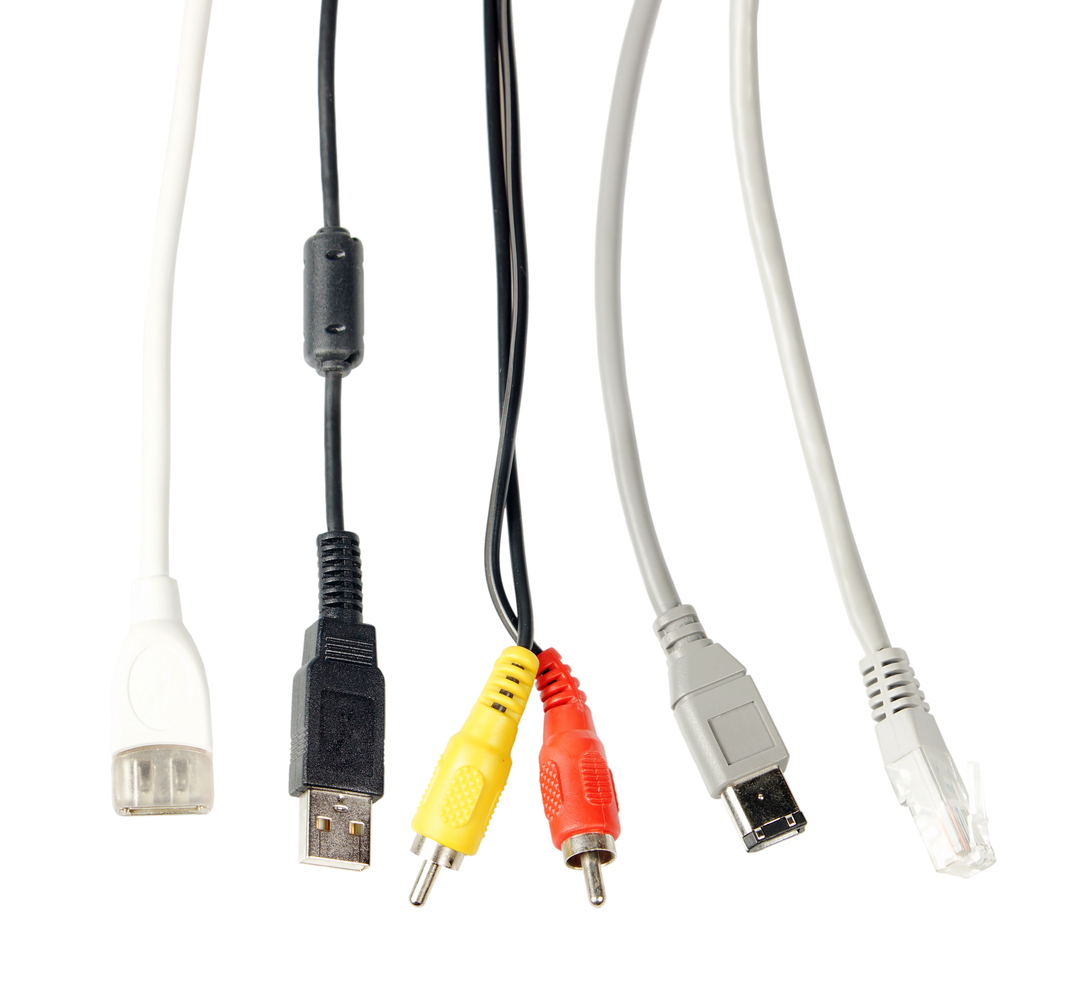
Communication cables are an essential part of connecting various devices and systems. From major telecommunications systems to at-home entertainment steps, they are instrumental in so many ways. There are various types of cables available depending on the unique application needs. Customized cables can be created to meet certain specifications. Factors may include the material, design, size, length, and characteristics specific to the cable’s intended use. Below, you will find a list of the common types of communication cables.

Types of Communication Cables

There are several different commercial wires and cables to choose from. The type that is right for you depends on the environment, application needs, and other unique specifications. Consider the following common types of communication cables to choose from. 

Fiber Optic Cable

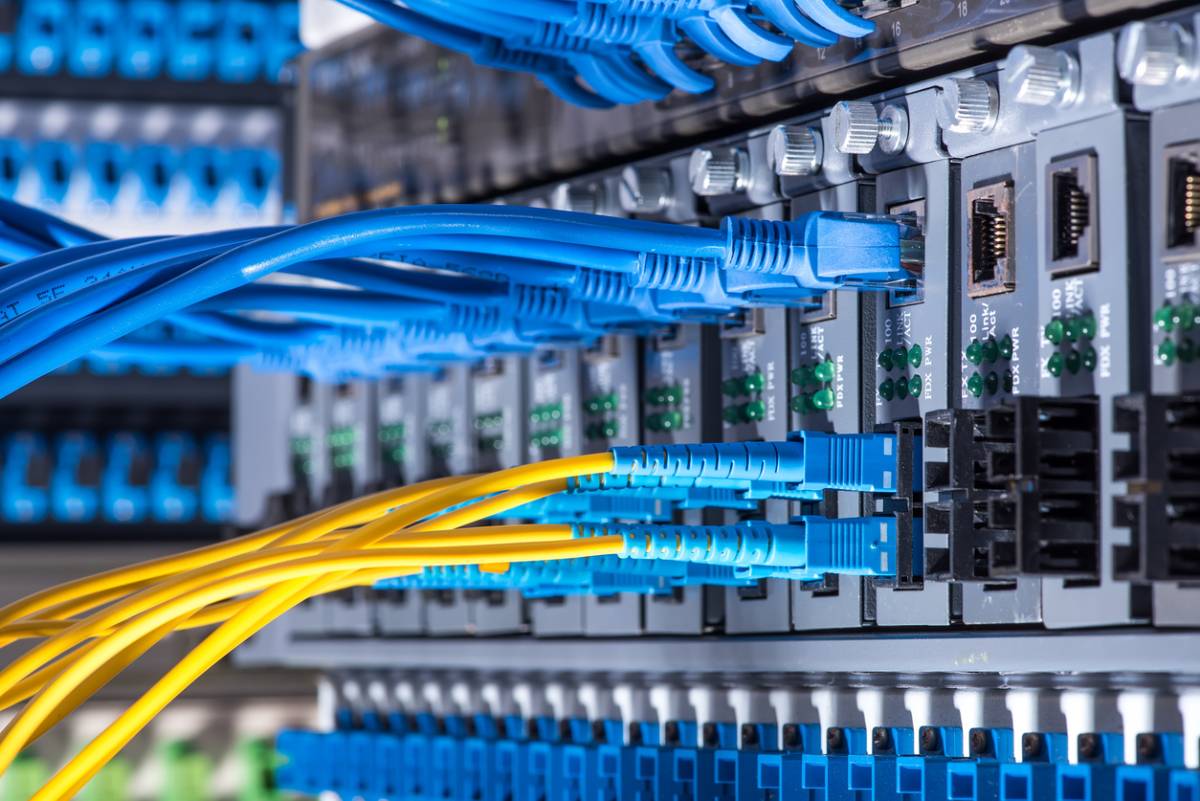
Fiber optic cables are highly popular cables used for communication purposes. Common uses include high-speed internet connections, cable television, and long-distance communication networks. They are the fastest and most reliable data transmission cable, and because of this, they are the industry standard in modern telecommunications.

They offer several benefits, which is why they are the top choice for telecommunications. Fiber optic cables are high-speed and offer incredible bandwidth, which allows them to transfer significant amounts of data without delays. They are also able to reach long distances without any signal loss. Fiber optic cables are also immune to interference, making them highly reliable compared to alternative cables. 

Coaxial Cables

Coaxial calves are another standard cable for communications. They are often sued for cable internet, surveillance, and television signals. These are best suited for commercial applications where high-frequency signal transmission is required. While they are highly popular, they are often a secondary choice compared to fiber optic cables because they are bulky and more expensive.

Despite some of the drawbacks compared to fiber optic cables, coaxial cables do offer several benefits. Their bulkiness offers durability and reliability by ensuring good signal quality over long distances. Additionally, they have excellent bandwidth, which makes them a great option for high-speed connections. Lastly, they are shielded, which reduces interference from external sources.

High-Definition Multimedia Interface

High-definition multimedia interface (“HDMI”) cables are often used in home and work settings. They are primarily used to connect high-definition devices. Typical devices include computers, televisions, displays, gaming consoles, and home entertainment systems. They transmit both audio and video signals between these devices.

For home and some professional use, HDMI cables are highly effective. HDMI cables transmit high-quality audio and video signals. They are simple and easy to connect, making them great for those who are not particularly tech-savvy. They also have a broad capability range, which is why they are considered a standard cable for home entertainment. While HDMI cables offer several benefits, they do have some drawbacks. Specifically, HDMI cables have limited effectiveness over longer distances and have a relatively wide price range that depends on the quality of the cable you purchase.

USB Cables

USB cables are another highly common cable used in home and professional settings. They are commonly used to connect smartphones, tablets, computers, printers, external hard drives, and cameras. They are commonly used due to their versatility and transmission capabilities. That said, they are phasing out in many areas because of the availability of wireless Bluetooth communication as a common alternative.

One of the major benefits of USB cables is their versatility. Their ports are found on almost all modern electronics, so they are easy to use and easy to connect to other devices. They are also widely available and offer faster data transfers than alternative cables—a critical feature in home and professional environments.

Commercial Wires and Cables

If you need custom commercial wires and cables for your application, contact the team at Calmont Wire & Cable today!