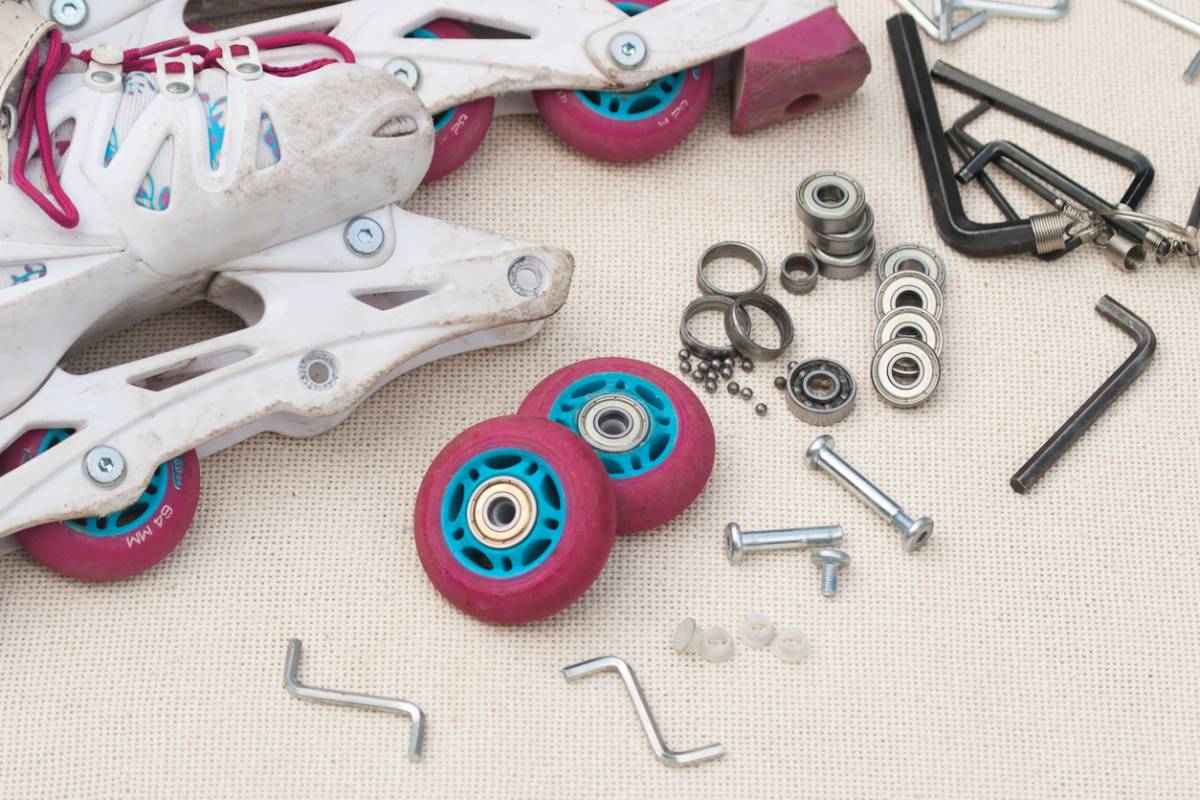
Featured image for How to Maintain Roller Skates

How To Maintain Roller Skates

Roller skating is a fun activity that is easy to pick up. It is an excellent hobby for people of all ages. It is also dynamic, as there are so many types of skating and various environments in which you can skate. One of the essential aspects of skating is caring for your roller skates. This can ensure their longevity. It can also keep you safe and injury-free. Below, you will find how to maintain roller skates so they last.

How To Maintain Roller Skates

Investing in roller skates for men and women is an investment in your mental and physical health. It is a great way to get exercise. It can also boost your mood and be a great way to spend time with people. Keep your skates in good shape by using the following maintenance tips.

Regularly Clean Your Skates

No matter what type of surface you skate on, it is vital to regularly clean your skates. This includes a wipe-down after each use. Use a damp cloth to wipe your boots and wheels. It is especially necessary if you skate outdoors. Deep clean your skates monthly as well. Remove the wheels and bearings and gently scrub your boots. Be sure to remove any debris. Rocks, leaves, and other small objects can easily get into parts of your skates.

Replace Parts as Needed

Skates are made of several different parts. This includes wheels, bearings, and boots. Each has a unique lifespan, depending on several factors. Common factors include how often you use them, what type of skating you do, and the environment in which you skate. In general, wheels and bearings tend to wear out the fastest. You will notice the progression of wear and tear if you regularly clean them. Regular replacement is necessary to ensure your safety and avoid injury.

Inspection and Maintenance

Your wheels and bearings are integral to your skates. Regular maintenance and inspection are necessary to ensure a safe and smooth ride. As for your wheels, rotate them regularly to help with wear and tear. Swap the wheels from the left and right sides of your skates as well. This is especially helpful if you favor one foot over the other when you skate. Check for flat spots when you rotate your wheels as well. Bearings should be inspected and cleaned regularly. You can use lubricants to ensure that they roll efficiently.

Care for Your Skate Boots

Your skate boots should be comfortable and in good condition. They should also provide the right amount of support. Be sure to care for them as you do the other parts of your skates. If you have leather boots, be sure to care for the leather. Additionally, if you skate outdoors, consider protecting your boots. For safety purposes, replace worn-out laces. This can reduce your risk of injury.

Properly Store Your Skates

After a skate session, be sure to properly store your skates after you wipe them down. If you transport them in a case, be sure to pull them out once you get home. Skates need air as it can reduce the risk of moisture buildup in between sessions. Loosen up the laces and open them up for optimal results. Try to keep your skates in an area that is cool and dry. High heat or extreme cold can impact the integrity of your skates. It is also best to avoid direct sunlight. UV rays can break down your skates and cause unnecessary damage. 

Roller Skates for Men and Women

If you want to start skating, check out the selection of skates at Crazy Skates! 

concept for benefits of upgrading old AV systems

Benefits of Upgrading Old AV Systems

More than ever, technology plays a pivotal role in different areas of people’s day-to-day existence, such as communications and productivity. For this reason, upgrading outdated AV systems is an important and valuable investment for any business organization. In any setting, be it corporate, school, or home, a modern AV system from a reliable and trustworthy AV systems manufacturer can bring notable improvements over old, outdated ones. Read on if you want to explore the key benefits of upgrading old AV systems.

Benefits of Upgrading Old AV Systems

Enhanced Audio and Visual Quality

Old AV systems will no longer provide a satisfying experience due to blurry visuals, distorted audio, or low-resolution outputs. Meanwhile, upgrading to a high-definition AV system ensures clearer business presentations, sharper video calls, and crisper sound quality. High-quality visuals and audio can create a significant difference, especially where communication and collaborations are of much importance. In the business setting, the quality of your AV can lead to more effective meetings and successful presentations. When it comes to the school setting, it can provide your students with a more enjoyable and immersive learning experience.

Increased Reliability and Decreased Downtime

Older setups are not as reliable as modern setups. Using outdated AV equipment means exposing yourself to higher risks of malfunctions, interruptions, or even complete failures. This may result in downtime that affects your productivity. 

Compared to outdated setups, modern ones are more durable and come with features like self-diagnosing software and remote troubleshooting capabilities. This minimizes the need for frequent maintenance and allows your organization to save valuable time, effort, and money. In addition, employees can focus on more important tasks rather than maintenance issues.

Seamless Integration with Modern Technology

One of the biggest concerns with using old AV equipment is its compatibility with new or modern equipment. It is a big frustration when users find out too late that their AV system cannot be integrated with current devices, platforms, or software, making it a challenge to work with other systems and technology that your organization relies on. An upgraded AV system allows you to work with other devices like smartphones, tablets, computers, and operating systems and platforms without a hitch. This gives the users a more streamlined and flexible user experience.

Improved User Experience and Flexibility

Modern AV systems are easier to operate, even for those who are not technically inclined. This is because they are designed with user-friendly interfaces. Voice control capabilities, touch screens, and wireless connectivity are growing more common in modern AV systems. As a result, users of all skill levels can use them without a problem. Employees with no technical background can set up or modify AV settings without calling the IT department. Meanwhile, in educational institutions, teachers and students are empowered to use AV resources without any complicated setups.

Energy Efficiency and Reduced Environmental Impact

Designed with energy efficiency in mind, modern systems use less power than outdated systems, resulting in lower energy costs. The use of eco-friendly materials in designs contributes to sustainability efforts, which organizations that advocate for the environment can find appealing.

Future Proofed

Because of the fast evolution of technology, users should always be prepared and future-proof their devices without having to buy a new one every time there is a technological change. Modern AV systems are designed to be adaptable and scalable, which allows users to expand their AV capabilities as needed. Whether you are adding more displays, connecting to an additional device, or integrating new software, a modern AV system is flexible and can evolve with your needs. By using a future-proofed system, you can ensure that your system can adapt to future technological advancements.

Enhanced Collaboration and Network

Modern AV systems make screen sharing and video calls, regardless of location and time zones, easy, making hybrid, remote work, and remote study setups no longer a challenge.

Invest in a New AV System Today

Upgrading your AV system is a wise investment. It supports engagement, collaboration, and productivity, reduces costs, improves your visual and audio, and provides a more immersive experience. These are just some of the benefits of upgrading to a more modern setup. Check out new audio-visual products here.

Featured image for 6 Best Audio-Visual Solutions for Your Next Meeting

6 Best Audio-Visual Solutions for Your Next Meeting

Business meetings in today’s fast-paced world have evolved beyond simple discussions around a table. Today’s meetings are multimedia experiences that depend on powerful audio-visual technology and dependable audio-visual equipment to deliver an impactful message. Whether you have a small meeting, a hybrid event, or a large conference, the right AV solutions will surely take your work to the next level—especially when it comes to engagement and communication. To ensure that your meeting delivers the results you want and that it leaves a lasting impression on the participants, we share the five best audio-visual solutions for your next meeting.

6 Best Audio-Visual Solutions for Your Next Meeting

Interactive Displays and Smart Whiteboards

The Microsoft Surface Hub, Samsung Flip, and other interactive displays combine the features of a traditional whiteboard with the digital capabilities of a computer screen. Smartboards enable the users to write and draw on the screen just like they would on a whiteboard and share digital content directly on the screen. These functions make brainstorming sessions more engaging and interactive. The users can even save and share notes digitally, making it easy for attendees to have a record of the ideas and topics discussed during the meeting.

Wireless Presentation Systems.

More and more people are saying goodbye to the days of scrambling for the right cable for different devices. Today’s presentations are usually wireless using systems such as Barco Clickshare and Airttame. These allow presenters to connect their laptops, tablets, or even smartphones to the main display screen without the inconvenience of using a cord for connection. These wireless presentation systems allow for a quick, efficient, and seamless switch from one presenter to the next. It is perfect for collaborative settings where different people may need to share content at different stages of the meeting. 

High Definition Projectors

High-definition projectors that provide clear, high-quality visuals are especially needed in larger meetings held in more spacious venues. In such cases, you can do well with laser projectors that offer superior brightness than traditional bulb projectors. You can count on brands like Sony or Epson to offer top-notch projectors that can render sharp and detailed images, charts, and videos. Do not compromise on quality by pairing your laser projector with a high-gain projection screen.

Video Conferencing Solutions

The recent pandemic has made remote work more popular, and it looks like it is here to stay. This makes video conferencing solutions essential for maintaining communication with team members or clients who cannot be physically present. Logitech’s Rally Bar and Polycom Studio are excellent options that can give exceptional video quality. In addition, they come with built-in microphones that can capture audio from any corner of the room. You can pair them with Zoom, Microsoft Teams, or Google Meet. These cameras can help ensure there will be seamless remote communication between you and any member of your team.

Professional Audio Systems

Ensure that your audio is clear and consistent using a professional-grade audio system. Consider ceiling microphones that can capture audio from anywhere in the venue without having to use a handheld microphone. For large events, a rented PA system with multiple microphones and amplifiers will give you the peace of mind that every attendee will be able to hear the presentation without any difficulty.

LED Video Walls

Perfect for large gatherings, like trade shows and large conferences, LED video walls offer visually stunning methods of presenting content. They are made with modular LED panels that can be configured to any size. In addition to providing a bright and vibrant display, these LED video walls can also be easily customized to accommodate branding or tailored graphics.

Take Your Next Meeting to the Next Level

With modern business operations where teams are scattered throughout the nation or even the world, organizations see the need for audio-visual solutions more than ever. These technologies not only enhance communication but also allow better collaboration and give attendees more immersive and engaging experiences no matter where they are. With visuals paired with audio, the likelihood of viewers engaging with and recalling that content is so much higher.

If you believe there is a need for you to invest in more than the traditional conference room technology, Talk to us. We will be happy to provide you with the right solutions for your needs.

Featured image for What Is the Difference Between HDMI and USB

What Is the Difference Between HDMI and USB?

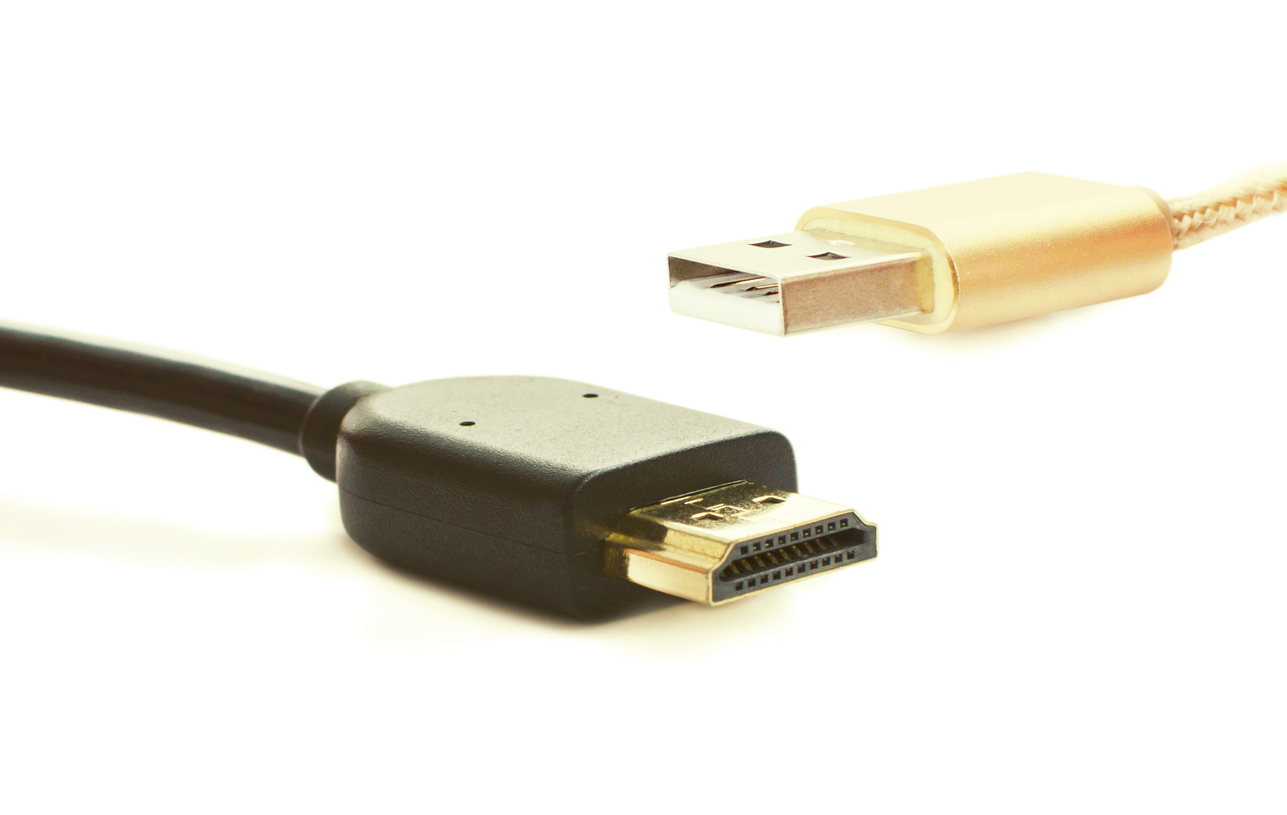
Connecting our devices— whether they are computers, TVs, or smartphones—to external screens or storage devices, has become more and more necessary for work and for people’s personal or household entertainment. HDMI (High Definition Multimedia Interface) and USB (Universal Serial Bus) are two of the most popular and commonly used connectors for this purpose. Though they are both extremely popular, many users do not know how to differentiate one from the other. Many users have most likely wondered what the difference between HDMI and USB is. If you are one such user, here is a breakdown of the functions, capabilities, and optimal uses of each connector. Understanding the differences will help you determine when to use them or which one to get when you are selecting your AV products.

What Is the Difference Between HDMI and USB?

Purpose and Function

HDMI is today’s standard when connecting computers, laptops, and other gadgets to televisions to transmit high-quality audio and video signals. Its simplicity allows anyone to quickly connect two devices via the cable.

First released in 2002 and having undergone several updates, HDMI has become the go-to for connecting video game consoles, Blu-ray players, TVs, and computer monitors. Its ability to carry both uncompressed audio and video signals ensures high-quality output, whether in home entertainment or professional setups.

Meanwhile, USB is a connector initially designed for data transfers between computers and peripherals such as keyboards, printers, etc. Throughout the years, USB has been further developed to support other functions such as charging devices, transferring high-speed data, and even delivering power.

Audio and Video Capabilities

HDMI is perfect for applications where high-quality media output is a must. The evolution of HDMI has allowed it to support higher resolutions, even up to 8K, surround sound formats, and High Dynamic Range. For instance, HDMI 2.1 supports Ultra High Definition resolutions and refresh rates of 120 Hz, which makes it perfect for gaming, home theater, and other entertainment setups.

On the other hand, USB was not designed for video output. However, its evolution has allowed USB-C to support video output through specific protocols that enable users to connect particular laptops and smartphones to external monitors. However, when it comes to handling audio and video, users will be better off with an HDMI.

Data Transfer and Power Delivery

When it comes to data and power delivery, USB is unrivaled. USB 3.1 and 3.2 are excellent when connecting hard drives and SSDs because their transfer speeds can go from 10-20 Gbps. In addition, USB-C has no problem charging laptops, smartphones, and other high-powered devices because it can deliver up to 100 watts of power.

Meanwhile, HDMI  does not handle files, documents, and other data files. Although it can offer some power delivery of around five bolts, it is minimal and generally only supports small device functions.

Compatibility and Convenience

USB is versatile, and there is no problem with compatibility. With USB-A to USB-C, there are ports on almost all devices, from computers to cameras. Being able to use one connector for multiple devices allows for easy setup without complicated configurations.

Although a must for video and audio connectivity, HDMI is not as universal as USB. While it is true that HDMI ports are common on TVs, monitors, and other multimedia devices, HDMI cables offer less convenience when it comes to cable management due to the rigidity and size of the cables as compared to USB.

Get the Right Connector Today

Ultimately, your choice between HDMI and USB will depend on your intended use or purpose. If you want specialized support for multimedia content, HDMI is the perfect choice. But if you need a tool for data transfer, device charging, or connection to peripheral hardware, your best choice is USB. Contact the team at Kanex Pro representatives for help determining which connector better suits your needs.

Featured image for How To Effectively Use Audiovisual Technology in the Hospitality Industry

How to Effectively Use Audiovisual Technology in the Hospitality Industry

The hospitality industry is all about creating the most streamlined and enjoyable experience for your customers. Knowing how to effectively use audiovisual technology in the hospitality industry can make a significant difference. Using audiovisual technology for restaurants can prove but one way to get return customers and keep your business thriving.

How to Effectively Use Audiovisual Technology in the Hospitality Industry

The right AV technology can take any experience up a notch. However, using it ineffectively can have the opposite effect. Poorly designed or implemented UX can lead to frustration and drive away clients. Getting a system running smoothly can take some effort, but the results will be worth the work.

Ensure All Staff Are Trained

Any technology will eventually run into issues. Maybe the user cannot figure out the system. Perhaps the system itself is glitching. 

When a situation like this occurs, the customer will want the nearest staff to help out. If that staff member needs to call over another worker to help, the experience has already fallen apart. Training does not need to be extensive, but each member of the staff should become familiar with navigating the systems and basic troubleshooting processes.

Update Signage and Wayfinding

Digital signage allows for continually up-to-date information to be displayed. Clear, digestible information sits at the center of the customer experience. Interactive displays allow clients to quickly and easily find the information they need.

Static signs regularly become obsolete with the rapid changes in hospitality. Signage that updates in real-time will ensure clients always have updated and correct information.

Check for Compatibility Before Installation

Since you live in the modern era, your business likely already has some AV elements implemented. When upgrading, you want to make sure you avoid running into compatibility issues.

Both software and hardware can have integration limitations. Furthermore, it can prove a challenge to know what these are ahead of time. We recommend working with a tech specialist or advisor to carefully plan your upgrade.

Stimulate, but Avoid Overwhelming

The temptation to go big always exists alongside any opportunity for upgrades. But more is not always better. Keeping your clients engaged is different from bombarding them with stimuli.

With any AV implementation, you want to seek the middle road. Craft an experience that makes information readily available and exciting but avoids overloading the senses. 

Don’t Chase Trends

Trends like augmented reality and AI features can sound extremely appealing on paper, but they do not fit with every industry and do not always live up to the hype.

For AR, AI, and other AV advancements, always ask one question before implementing it: How will this benefit the customer? If it only adds a gimmick to your services, it will likely not prove helpful in the long term.

Explore Opportunities for Visual Storytelling 

An experience is ultimately a story. Going to a nice restaurant is about more than a tasty meal; it involves narrative. AV technology allows you to convey the narrative of your business more effectively than ever before. 

Some examples of this include:

  • A Dynamic Menu Presentation: High-quality images and videos that showcase your items.
  • Interactive Descriptions: Create the opportunity to explore an item’s details, like how it is made, its ingredients or materials, and the history of the item.
  • Match the Season: AV technology can further add to a seasonal feel. From a menu’s design to updates with seasonal offerings, use AV elements to further enhance a sense of time and place.
  • Ambiance and Environment: The clever use of adaptive lighting or sound can further add to the experience and business narrative. This does not mean setting up a light show. Instead, you can use lighting to your advantage to create a mood and ambiance unique to your brand. 

Novel Ways to Entertain

The bottom line of hospitality is that your customer wants to be entertained. What that means can vary across different elements of the industry. For a hotel guest, that might mean easy access to video games and media in their room. For a restaurant guest, it might mean options to keep kids occupied at the table. For tourism, it can mean new ways to interact with their environment.

Look for ways to engage your audience that uniquely cater to your industry. When in doubt, visit a competitor and see what they lack that you would want as a customer.

Where to Find Your Upgrade Supplies

When you have decided how you want to upgrade your AV environment, visit KanexPro, a leading audiovisual supplies store.

Featured image for Roller Skating Party Ideas

Roller Skating Party Ideas

Roller skates pair well with most events, from birthdays to weddings. They serve as exercise, personal expression, and a source of entertainment for all ages. If you want to work fun into your next gathering, try out these roller skating party ideas.

Roller Skating Party Ideas

Classic: Roller Rink Party

You likely know about roller skating rinks. They might not be in their prime as they were in the 80s to early 2000s, but plenty still exist. 

Roller skating rinks often have designated party spaces you can rent out. Additionally, any guests without skates can usually rent theirs from the rink. Skating rinks set the atmosphere right away, with party-ready lighting, music, and vibes. 

What Supplies Do You Need?

  • Food
  • Decorations
  • Money for rentals

Local Skatepark

Skateparks are a great way to meet other people who enjoy skating and be introduced to different methods of doing so. However, most skateparks will be above the skill level of casual roller skaters and, therefore, may be more stressful than fun. 

Rather than looking for skateparks with deep pools or huge ramps, look for milder options. More and more kid-friendly parks are popping up across cities. These have shallower pools that do not require massive feats of courage every time you drop in. Check out images of the park online ahead of time.

In the name of good skating etiquette, avoid hosting large parties in skateparks that will entirely take over the space. Let the other visitors have their space and fun, too.

What Supplies Do You Need?

  • Food
  • Skating supplies
  • Enough bravery to skate around non-roller skaters

Street Skating Experience

Skating in front of your house or around a local neighborhood offers more possibilities than you might think. Buy yourself a pack of street chalk, and you can turn any street into the location of a fun skating party. 

Draw paths, game boards, obstacle courses, and more. Let your imagination run wild. The only downside is this takes the most prep time. And it is easy to get stuck on the creative side of it. Fortunately, there is no shortage of YouTubers and TikTok-ers ready to share their tips with you.

What Supplies Do You Need?

  • Street chalk
  • Inspiration
  • Patience and plenty of time

Best Themes for Roller Skating Parties

So you have chosen where to party. But how can you spice it up? Try accessorizing your party with some of these.

Glow Sticks

They provide safety at night, while also immediately adding a cool factor that every kid can get behind. Buying them in larger quantities will save you money and give the party guests unlimited fun.

That said, glow sticks are not suitable for younger children or any who might be inclined to chew them. The materials are often nontoxic, so you will likely be able to avoid a hospital visit if one is ingested, but the effects will not be good in any case. 

Craft Your Skating Outfit

Rummage through a craft store and grab anything that looks neon or invokes the 80s. Letting the kids make small accessories before the party will only add to the fun. Look for ribbings, sequins, feathers, and reflective objects that can be used to make bracelets, headbands, and necklaces. Many shops have special online deals, so check there first, even when you place in-store pickup orders.

Tie-Dye Socks

Tie-dye and roller skating often go hand in hand. And a big part of the outfit is your socks. Making a bunch of tie-dye socks can be great for gift bags, and guests can use them right away for their roller skating fun.

Just be sure to give the socks plenty of time to dry. As such, this does not work well for last-minute plans. If you need a primer on how to do tie-dye, check out this how-to guide. As always, if kids are involved, ensure they are under adult supervision.

An Online Source for Your Skates

Crazy Skates is a roller skates shop that provides supplies for customers of all ages across the nation, no matter if you are a rookie or a vet. 

Featured image for Key Types of AV Equipment for Gaming

Key Types of AV Equipment for Gaming

Video games have come a long way from unwieldy arcade games sitting in the corner of the local pizza shop. Game streaming can be a full-time (and lucrative) job. But you need the right gaming technology to keep your sessions up with the competition. Below, we cover the key types of AV equipment for gaming.

Key Types of AV Equipment for Gaming

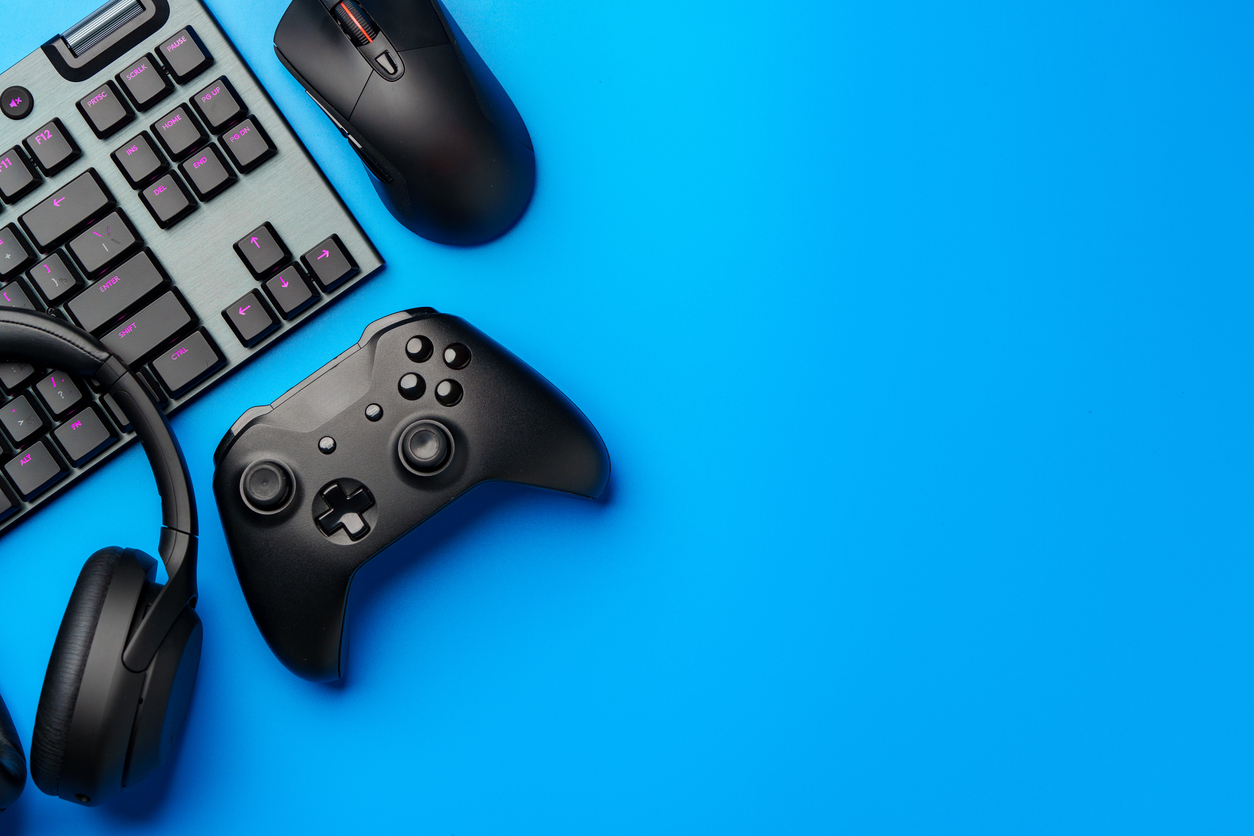
We will skip over the consoles and controllers. You likely already know what basics you need, but what do you need to take your sessions to the next level? This guide will specifically focus on the types of AV equipment that are best for streaming video games.

Headphones

Quality headphones can transform a game. Wired headphones technically provide the best sound. However, wireless Bluetooth headphones provide more freedom of movement and experience. 

Capture Device

Video gaming can lead to candid cinematic moments. But without a capture device, they will come and go, just like they never happened. Most consoles have some built-in capture software, but it is rarely high quality. A capture device can store your gaming content in a designated storage device in real time. It will let you enshrine some of your most epic gaming moments in stone (or silicone).

Microphone

We wish you luck at this stage. Finding the best gaming microphone can often feel like trying to find the right car. There are many variables to consider that most people are not even aware of. The good news is there is something for every budget level. We recommend you look for something in your budget that fits the style you want, stand microphone versus wearable, and your personal aesthetic.

Lighting

Lighting can make or break your streaming videos. One of the biggest mistakes people make when recording a stream for the first time is discounting how important lighting is.

Every situation will require slightly different lighting, and game streaming will require a moderate approach. The streamer should be clear and visible but not glowing or highlighted. Let the gameplay speak for itself.

Camera

With a camera, you get what you pay for. You might be able to find cheap cameras that claim to be 1080p or even 4K, but if they have a price tag under $100, it likely is too good to be true.

That said, starting with something cheaper is not always a bad idea. As mentioned above, the gameplay is the core experience, and most streamers have only a small partition of the stream screen dedicated to video of them. Lower-quality cameras will not be as significant of an issue as a low-quality microphone or capture service.

Cables, Adapters, Extenders

Gaming can require a variety of cables, plugs, and prongs. Not every device will have a slot for what is needed. When setting up your gaming station, check to see if everything can be plugged into where it needs to be. 

Adapters

While you can always get adapters, it is better to plug devices in directly because each adapter offers a new place for something to get unplugged or go wrong. For example, if your computer only has USB-C slots, avoid purchasing anything that uses a USB-3 cord so you can bypass the need for an adapter. Adapters are a helpful tool, but they are best reserved for when you have no other option.

Extenders

In general, when you have a lot of things to plug in, using a surge protector power strip is usually a good idea. Not only can it help keep all your cables organized, but it also improves electrical safety. Blowing a fuse at the wrong moment is never good.

Cables

If you are working with consoles, the cables included with the console tend to prove sufficient. The latest-gen consoles come with quality HDMI cables and power supply cords. Still, you can upgrade your cables if you want some extra length or durability.

In any case, make sure you organize your cables well. Tripping over them or unplugging something in the middle of a boss fight can quickly ruin the mood.

Top Source for AV Equipment for Gaming

Kanex Pro is a leading audio-visual equipment retailer for customers who want the best. Expect premium materials, cutting-edge tech, and top-tier customer support.

Featured image for How Difficult Is it To Pair Electronics From Different Providers?

How Difficult Is it To Pair Electronics From Different Providers?

Technology is constantly advancing. With so many companies competing to have the best technology, new products are developed and become available at incredible rates. In many cases, these devices—phones, tablets, televisions, headphones, and so on—need to be connected for a variety of purposes. You may wonder, how difficult is it to pair electronics from different providers? Below, you will find helpful information on how to connect your technology from different brands.

How Difficult Is it To Pair Electronics From Different Providers?

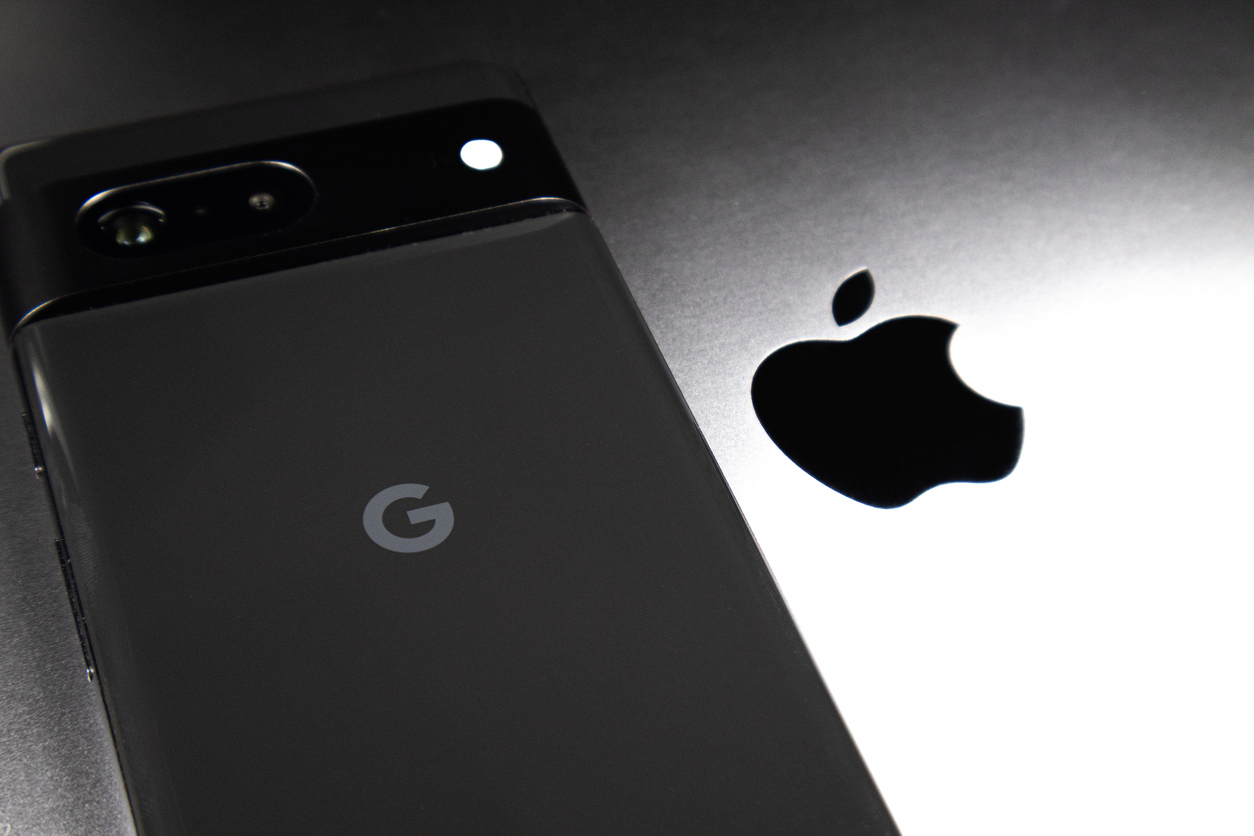
So many people purchase different technology from different brands. This should not be a barrier to connecting your devices. Different companies make superior models of certain products. For example, in the United States, Apple’s iPhone, which people frequently protect with smartphone protective cases, is often preferred over Android. However, many people get their television from Samsung, TCL, or Sony. Consumers dictate what they want through their purchases. This is what keeps the tech market competitive. However, this can lead to some difficulty when pairing devices from different providers because of each brand’s unique operating system.

There are several common challenges when pairing devices. This includes compatibility issues, the presence of proprietary software, and the limit of features across different platforms. These compatibility issues are largely a result of each brand’s unique system. A prime example of this is the message delivery issues that can arise when sending a text from an iPhone to an Android, especially in group chats. Proprietary software poses another challenge. For example, Apple has its own software system and apps that are specific to the iOS system. These are exclusive to Apple products and devices. Lastly, certain products may have more limited features, which can be a barrier when connecting a more advanced product, or features may be removed when connecting across different brand systems. 

Overcoming Pairing Challenges

Though it can be frustrating, it is possible to bridge the gap between competing operating systems. Finding ways to overcome pairing challenges is much simpler than buying entirely new devices. That can be costly and unnecessary. Some time and patience can help you navigate a challenging pairing process.

Bluetooth Pairing

Bluetooth is a universal method for connecting devices without cables or wires. It is an indispensable tool if you are connecting products from different brands. Bluetooth makes it possible to connect Android products from Google with Apple products. There may be issues with performance depending on the technology you are connecting to, but overall, you should be able to connect your devices easily through Bluetooth pairing. 

Third-Party Resources

One way to overcome pairing challenges is to turn to third-party apps. There are several apps designed specifically to pair devices from different platforms. As technology continues to advance, these apps become more prevalent, so you should be able to find them with a quick internet search. In addition to apps that help you pair devices, there are also universal apps and services that help pair devices. Common examples include Google Drive or Microsoft OneDrive, which allow you to access files over the cloud, no matter your device type.

Helpful Tips to Avoid Pairing Issues

Fixing pairing issues can be time-intensive. To bypass these challenges altogether, there are a few ways you can reduce your risk of future issues. Before you buy a new device, check the available apps. Make a list of all of the essential apps and functions you need before you invest in a new product. If you end up using devices that are from different brands, use a universal service, like Google or Microsoft, to connect your devices. Both are designed to work across multiple operating systems. This will make pairing significantly easier and less time-consuming. Also, keep your devices updated and protected with accessories from a top phone accessories retailer. Protecting your devices will keep them in good quality and facilitate your efforts to keep your systems current. 

Phone Accessories Retailer

If you have a phone or other device that needs protection, check out the selection of products at ITSKINS!

Featured image for 7 Reasons Your Cables Need To Be Properly Insulated

7 Reasons Your Cables Need To Be Properly Insulated

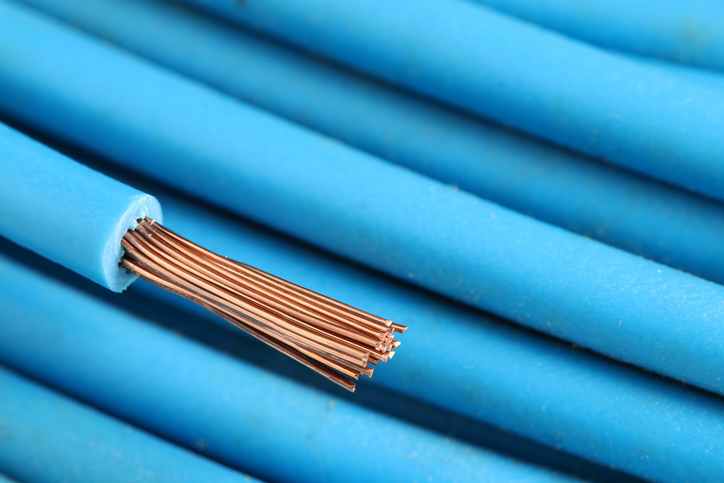
One of the most important considerations when it comes to cables is the insulation. Proper insulation is necessary for its role in preventing wires from coming into contact with water, people, and other substances and for its ability to reduce the likelihood of unsafe and dangerous situations. Below are the top 7 reasons your cables need to be properly insulated. 

7 Reasons Your Cables Need To Be Properly Insulated

There are several key reasons why cables need proper insulation and jacketing. Take into account the following to ensure your cables are safe and reliable.

1. Improved Safety 

Firstly, proper cable insulation is necessary for safety purposes. Electrical wires can be dangerous and even fatal if proper precautions are not in place. Electrical wires, especially those for industrial and commercial purposes, carry currents that can be deadly if they come into contact with water or people. If these wires are not properly insulated, those who come into contact with them can be shocked or electrocuted. In this way, adequate cable insulation prevents serious physical harm.

In addition, it is necessary to reduce the risk of electrical fires. Exposed and damaged wires can overheat and ignite, causing widespread damage to people and property. Insulation serves as a barrier of protection to prevent these types of hazards.

2. Protective Layer

Cables are often required in environments that can cause accelerated wear and tear. This can lead to the need to maintain or repair your cables often. Luckily, cable insulation can protect your cables from harsh environments. Common environmental factors that can negatively impact the function and longevity of wires include UV rays, moisture, extreme temperatures, and corrosive substances like chemicals. Without insulation to protect against these influences, cables can crack, corrode, and completely fail.

3. Cost-Effective

In step with the previous point, electrical wire insulation ensures that cables last longer, which can save you time and money on maintenance and replacement costs. Insulation helps to protect wires from wear and tear and potentially damaging environmental factors. High-quality insulation can extend the lifespan of the cables and lower your overall costs. 

4. Prevents Interferences

Cables are often grouped with and surrounded by many other cables. With multiple cables and wires overlapping and operating at once, electrical interference is common. Insulating your cables prevents interference and reduces the risk of greater complications. Insulation to protect against interference is especially helpful in the industries that are involved in telecommunications and data transfer.

5. Regulatory Requirements

Many industries have strict regulations and safety standards regarding the electrical equipment used. Properly insulating your cables ensures compliance with these important regulatory requirements. Regulatory requirements are designed to ensure the safety, reliability, and efficiency of your cables and networks. Full compliance is necessary for both companies and homeowners to avoid any legal issues that may arise from accidents in the future. 

6. Prevents Short Circuits

When electrical wires short circuit, they can cause serious damage both to their own structure and to the cables they are connected to. Furthermore, short circuits can create sparks and lead to electrical fires. Short circuits occur when electricity flows along an unintended path. Insulation prevents this unintended flow of electricity by ensuring cables do not directly touch each other—or other conductive materials—and can only follow their predefined path. Proper wire insulation can prevent costly and time-intensive damage caused by short circuits.

7. Improves Performance

Custom wires and cables with proper insulation will perform better than those without. In the same way that insulation on wires will prevent short-circuiting, it will prevent external disturbances, which would make the wiring less effective. Specifically, it prevents electricity from traveling in unintended patterns and helps regulate cable temperature ratings. Regular care and maintenance can keep electrical cables in good shape, especially when they are covered in high-quality insulation.

Custom Wire and Cable Company

If you are searching for electrical cables for your application, contact the team at Calmont Wire & Cable for more information.

Featured image for Best Time of Day To Go Skating

The Best Time of Day To Go Roller Skating

Roller skating is an excellent physical activity that offers many benefits to your health. It can improve your physical health—through the development of your balance, coordination, muscle strength, and heart health—and can boost your mood, thereby improving your mental well-being. All you need to begin your skating journey is roller skates and some beginner safety gear. Beyond that, the only thing required is the small effort of planning roller skating into your schedule. Below, you will find the best time of day to go roller skating based on your schedule.

The Best Time of Day To Go Roller Skating

The best time of day to go roller skating will depend on factors specific to you, such as your schedule, desired skating location, and skating goals. Consider the following factors when incorporating roller skating into your routine.

Skating Location

If you are skating indoors, your primary consideration will be the time of day that the location is open. However, if you are skating outdoors, it is necessary to consider the local weather and the safety of the area you are in. You may need to plan around rain or hot weather to ensure your skate session is enjoyable and determine if you feel more comfortable skating during the day or in the evening.

Skating in busy outdoor locations will also require you to have additional safety gear, especially at night. Add some reflectors to your clothing and lights to your skates to ensure you are clearly visible in the dark. Skating at night is very enjoyable, but extra measures will be required to ensure your safety.

Personal Schedule

Your personal schedule will have a massive influence on the best time of day to skate for you. If you work early, consider afternoon or evening skate sessions. If you start work or school later in the day, consider an early morning skate session.

It is recommended that adults get at least 150 minutes of moderate exercise each week. Ideally, these minutes are spread out over a few days so you do not develop a primarily sedentary lifestyle. Try to schedule skating into your routine at least a few times a week to get the maximum benefits.

Purpose for Skating

When determining the best time of day to go skating, consider the reason you are skating. For those who wish to add exercise into their routine as a way to boost their energy levels, the morning may be best. Exercising when you get up helps your body release chemical endorphins, which will make you feel happy and more energized. They are known as “feel-good” hormones because of their contribution to reduced stress and increased energy. 

If you are skating to relax, the afternoon or evening may be better. Skating later in the day can help tire your body, so it is easier to wind down to get restful sleep. Avoid high-intensity skating at night to ensure your workout does not leave you feeling more energized as you prepare for bed.

Personal Preference

The most prominent factor when considering the best time of day to skate is your personal preference. Find out what works best for you so that you can gain the full benefits of your skating time. Ultimately, skating is something you should enjoy, so the best time of day to skate will be the time of day that you find it most relaxing and enjoyable.

Roller Skates Retailer

No matter what time of day you decide to go roller skating, Crazy Skates has the resources to get you started. Visit their roller skates and accessories shop for custom equipment and see that their selection of skates and gear is unparalleled.